
Start it. Walk away. Come back to a finished page.
Eleven passes take an article from live research to a finished page — researched, written, edited five times over, linked, tagged, illustrated and scored. The whole run takes 13 to 17 minutes, and you don’t sit through any of it.
Three hard gates stop anything over the word ceiling or outside its keyword ranges from moving forward — so what’s waiting when you get back is a page, not a draft you have to audit.
The problem with AI writing isn't quality. It's that nothing checks it.
Ask any model for a 1,200-word article and you'll often get 2,600. Ask it to use a keyword eight to twelve times and it'll use it forty. Ask for local specificity and you'll get the city name dropped into generic sentences. The output reads fine, which is exactly the problem — you have to read the whole thing carefully to find out it isn't publishable.
At fifteen clients, that check doesn't happen. So the article ships long, over-optimized and vague, and three months later nobody can work out why the content program isn't moving anything.
"Couldn't I just do this in ChatGPT?"
Yes — if you supply the brief, the research, the keyword ranges, the internal links, the schema, the QA and the photography yourself, every time, for every client. The model was never the hard part. The process around it is.
A chat window
You are the pipeline
- No memory of who this client's customer is
- Nothing counts your keyword frequencies
- No word ceiling — it will happily hand you 2,600
- You write the brief before you can ask for anything good
- Internal links, schema and alt text are separate jobs you'll skip
- Nothing compares the finished piece back to the brief
- No live score, no readability check, no keyword tracking as you edit
- Stock photos, or a generic AI stranger in a generic room
SoloCMO
The pipeline is the product
- Audience and selling points inherited from the client's strategy work
- Every term checked against an imported frequency range
- A word ceiling that blocks, with the overage counted
- Pass one builds the brief from live cited research
- Links, schema, meta and images are passes, not afterthoughts
- A brief-alignment gate and a scored final QA
- An editor that scores readability and keywords live as you type
- Images built from the client's own staff, premises and branding
Seven phases. Eleven passes.
Each phase does one job and hands off. Drafting is five sequential editing passes on its own — cadence, AI cleanup, bookends and conversion — because one pass produces a draft and five produce something a person would actually read.
You don't sit through them. Set the variables, start the run, and the pipeline works in the background — pass by pass, or all of them from wherever you are. A full article takes 13 to 17 minutes and tells you when it's done. Every one is saved as a project you can reopen, hand to a second seat, or re-run a single pass on.
01
Research
1 pass02
Outline
1 pass03
Drafting
5 passes04
Internal links
1 pass05
SEO tags
1 pass06
Images
1 pass07
QA + final
1 passThe gates are the product.
Between passes, the pipeline audits its own work and refuses to move forward when the draft misses spec. Not a warning you can scroll past — a stop, with the exact numbers and what to trim.
You can override it. The point is that overriding becomes a decision you make, instead of something that happens because nobody counted.
A real gate failure. Three routes out: re-run the pass, fix only the flagged issues, or override and proceed anyway.
Gate 01
Keyword frequency
Every term checked against the range you imported from NeuronWriter or POP, with the overage counted per keyword.
Gate 02
Word-count ceiling
A target with an allowed band around it. Over the ceiling is a stop, not a note — because running long is the failure mode every model shares.
Gate 03
Brief alignment
The finished draft compared back against the pass-one brief: must-cover questions, local specificity, conversion presence.
The full pipeline is on every plan. No feature gates, no upsells, no separate optimizer subscription.
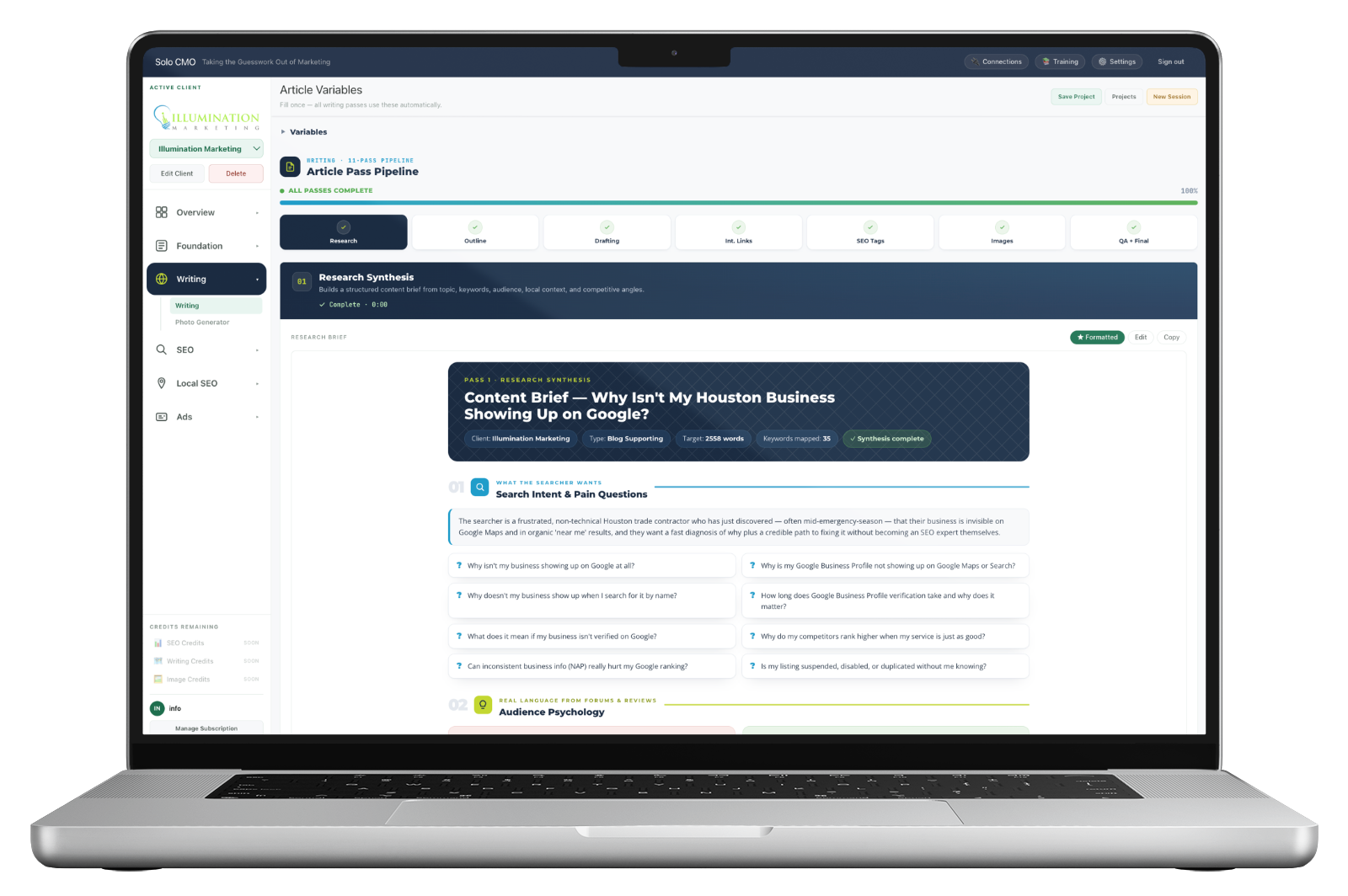
It researches before it writes, and shows you the sources.
The first pass builds a full content brief from live web research — dozens of cited sources for a single article — and it isn't a keyword list. It's search intent and the actual questions being asked, audience psychology in real customer language, what top-ranking pages already do, and what this article has to do better.
Plus the local angles: humidity, construction age, neighborhood names, the seasonal conditions that make a generic article obviously generic.
- Search intent with the specific questions to answer
- Fears, dream outcomes, trust language and objections, quoted from forums and reviews
- Keyword coverage plan with target frequency and best placement per term
- Competitor angle summary — what they do, what this has to beat
- Structure map with a word budget per section
- Every source cited and listed, with source attribution visible in the draft
- Or skip it — supply your own research from client interviews or proprietary data, and the pipeline builds on that instead
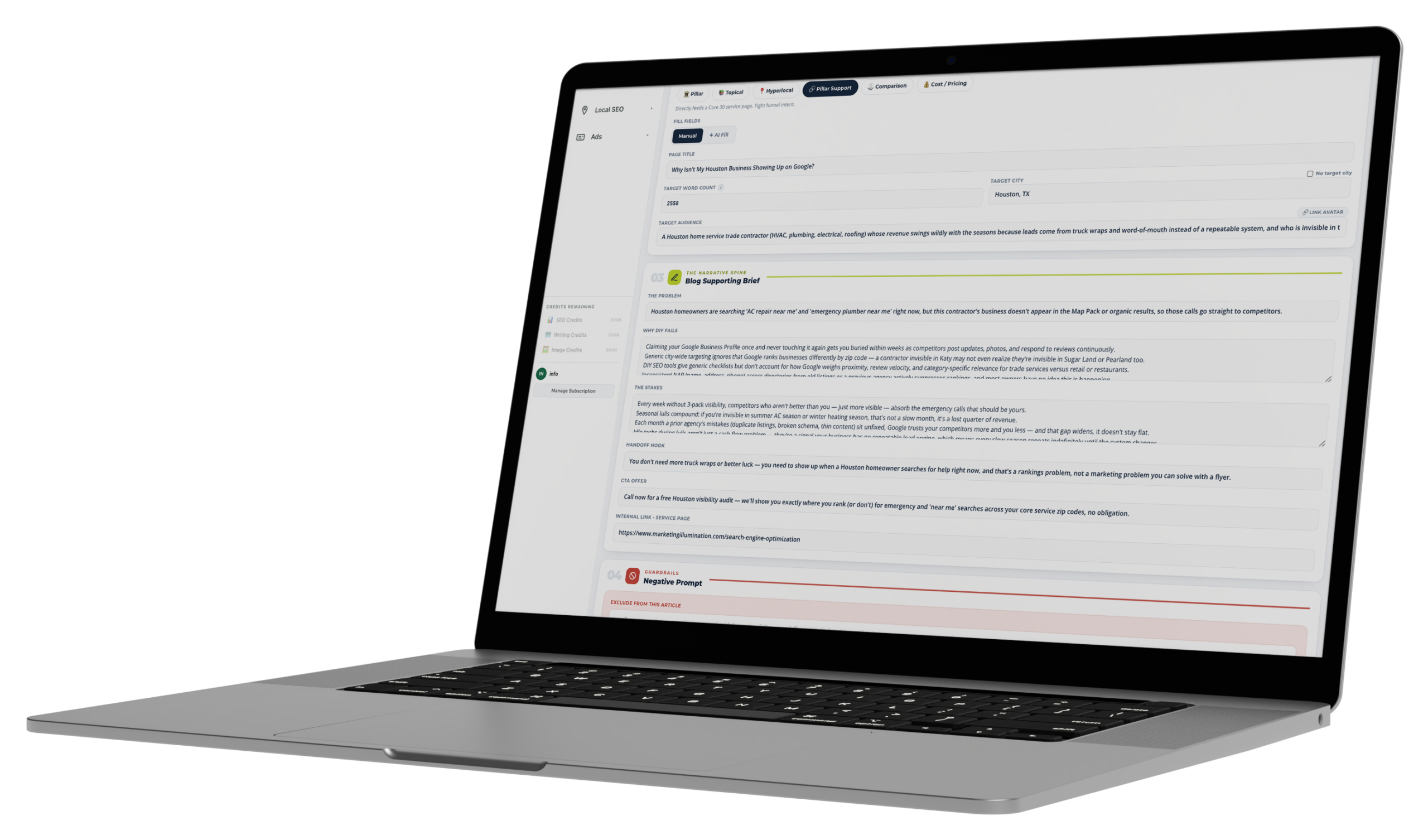
The brief is a form, and half of it is already answered.
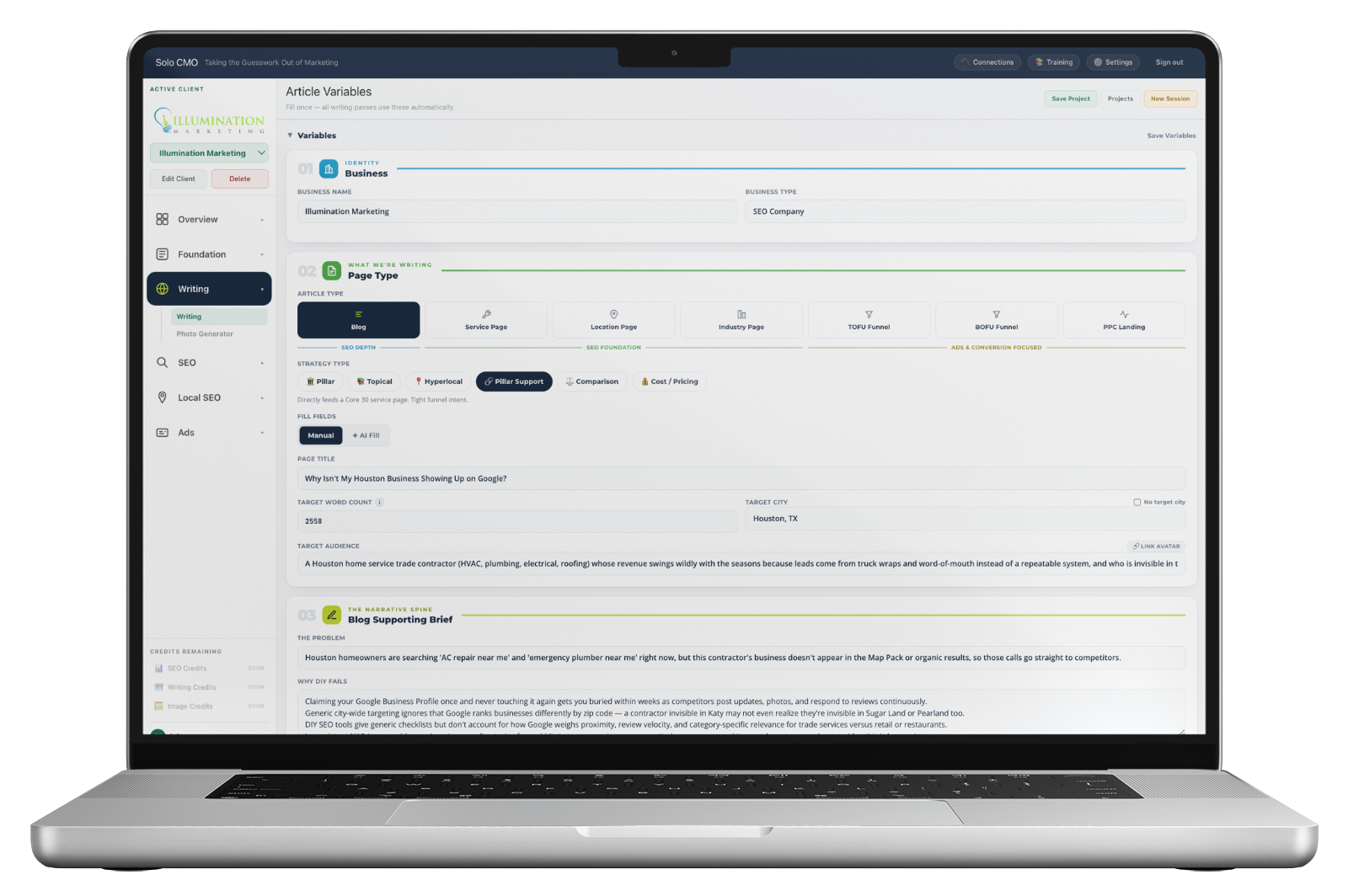
Article type, strategy type, word count, target city, keyword frequencies, formatting rules, the phone number and the call to action — set once, and every one of the eleven passes uses them.
The fields that decide whether the article sounds like this business rather than its category come straight from the strategy work: target audience links to an avatar, and the selling points are pulled from the USP. You don't rewrite them per article.
- Seven article types and six strategy types, including hyperlocal and comparison
- Keyword frequencies imported from NeuronWriter or POP
- A negative prompt — topics, claims and angles to exclude from this specific article
- Formatting rules down to whether bold, italics and blockquotes are allowed
- Reading level inferred from the avatar
And the photos are their actual staff.
Every other pass has a competitor somewhere. This one doesn't. Upload the owner and team once at onboarding, plus a few shots of the premises, the vehicle and the logo — and from then on article images are generated as scenes featuring those real people, in that real space, with their signage where it actually hangs.
It matters because "send me photos of your team" is where content programs stall. You get three blurry shots from 2019, or nothing, so the article ships with stock — and stock is the fastest way to tell a homeowner a business might not be real.

Recognizable
The person a customer will meet
Not a lookalike and not a stock model — the actual staff member, close enough that a returning customer recognizes them.
On location
Their room, their truck, their sign
The real interior, the branded vehicle, the product wall exactly where it hangs — the details a prospect uses to decide whether a business is real.
Once, then forever
One upload covers every article
Ask at onboarding. Every article after that gets illustrated without going back to the client for anything, with alt text and composition notes written per image.
The article isn't the whole deliverable.
Two more passes produce the things that usually get skipped because they're fiddly — and skipping them is why so much published content underperforms the work that went into it.
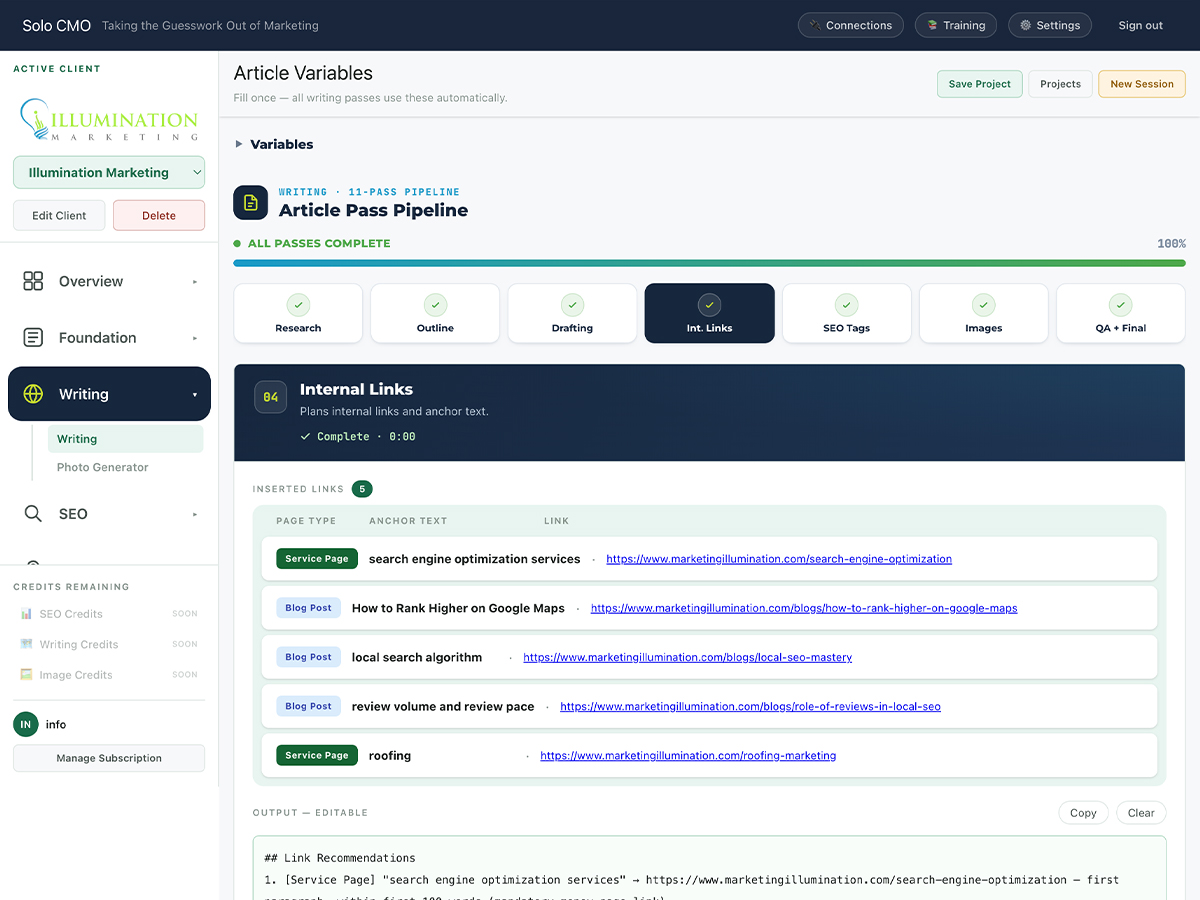
Pass 04
Internal links, placed
Anchor text and destination for each link, plus where in the article it goes — including a money-page link inside the first hundred words.
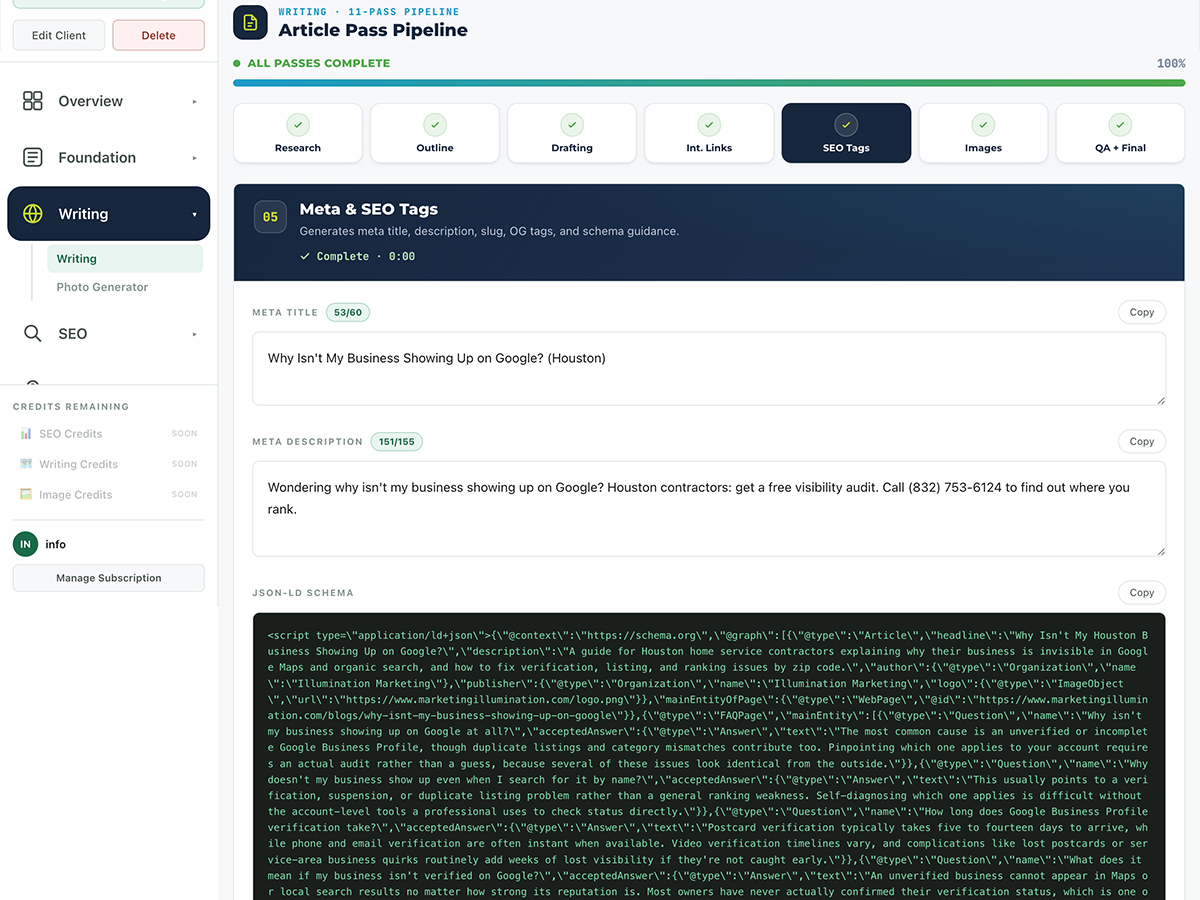
Pass 05
Tags and schema
Meta title and description inside their character limits, and a full JSON-LD graph — article, FAQ and local business — ready to paste.
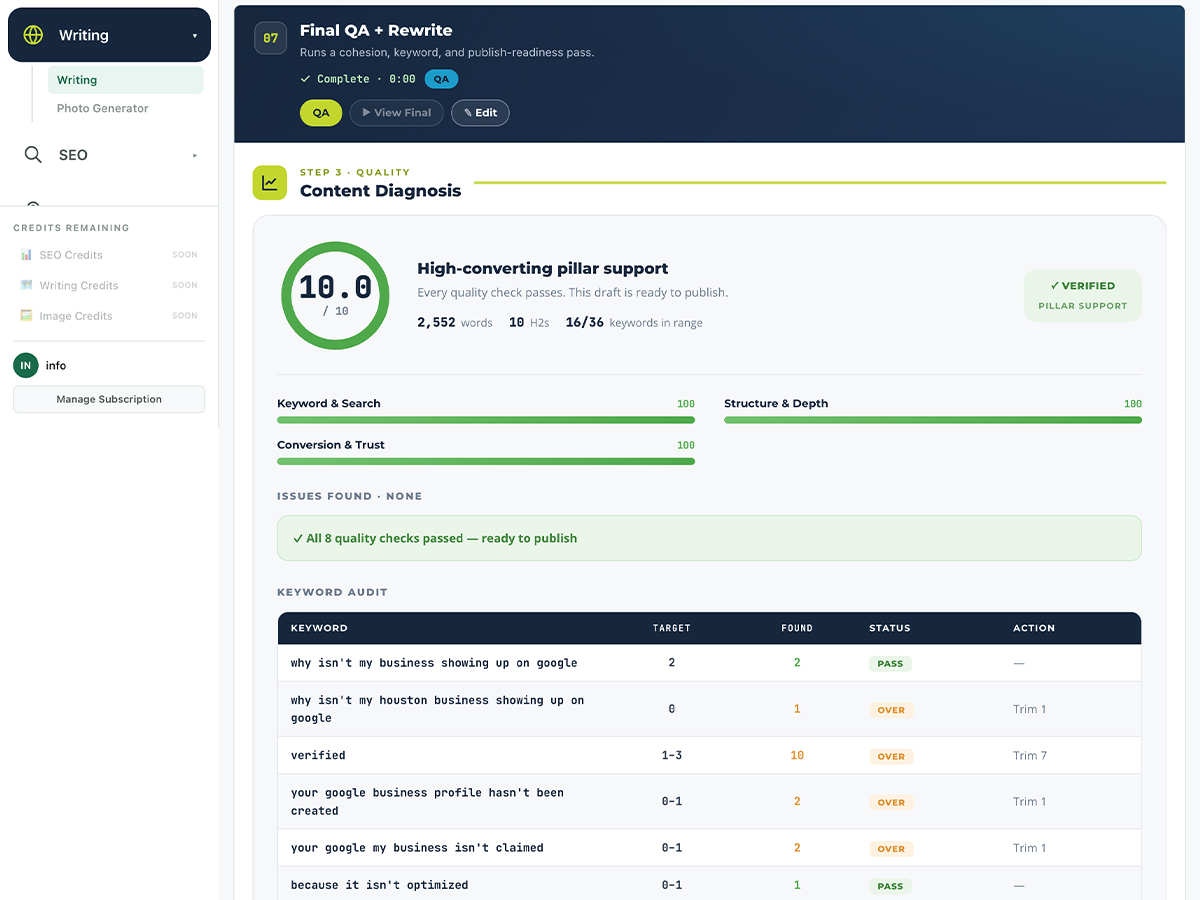
Pass 11
It scores its own work
Graded out of ten across keyword, structure and conversion, with issues split into critical and moderate and a fix for each. It will tell you an article it just wrote scores 7.3 — a tool that always says the work is good isn't checking.
Every optimizer tells you to use a term three more times. This one puts it where it belongs.
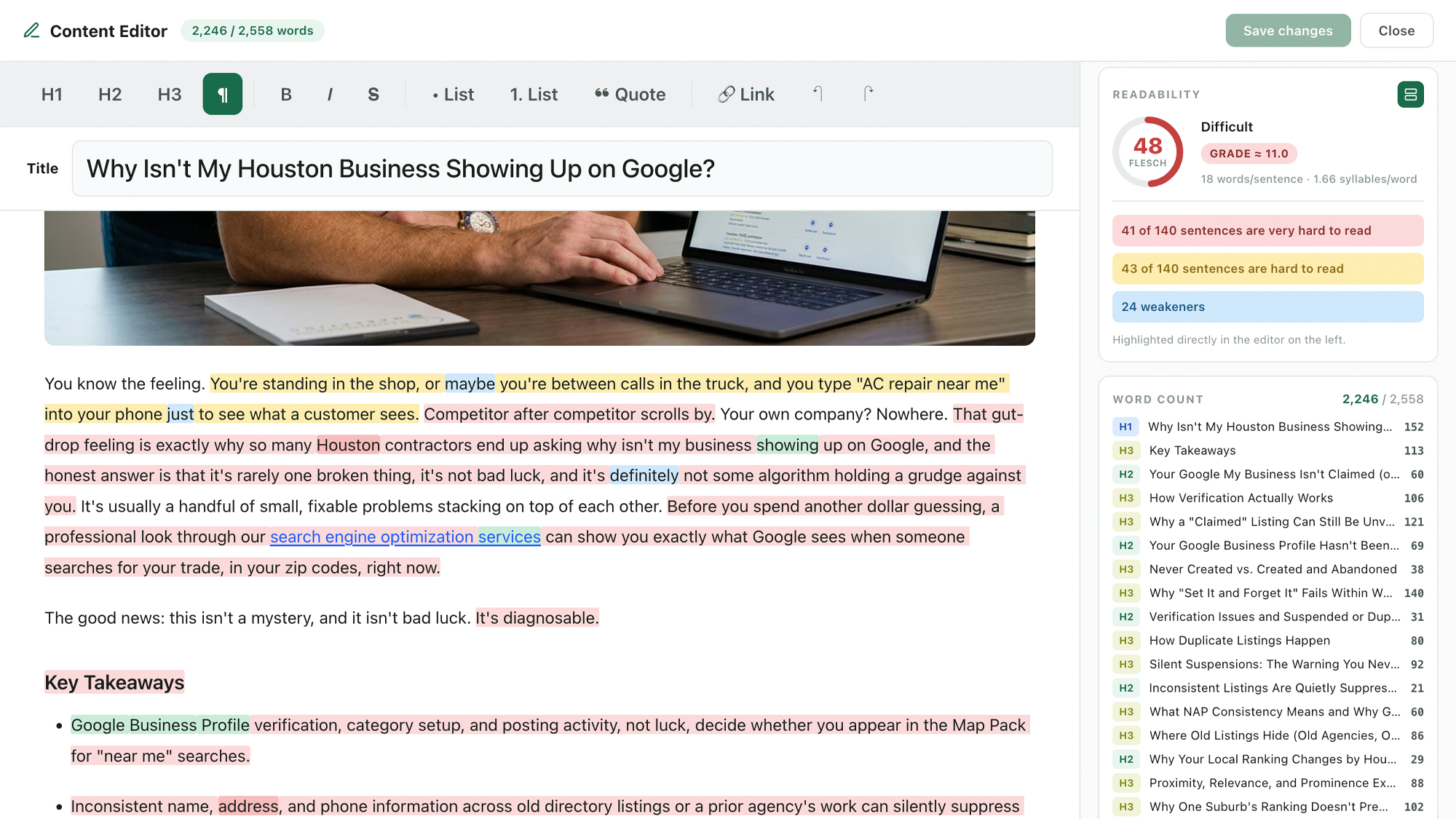
The QA pass tells you the article scores 7.3 and names the issues. The built-in editor is where you resolve them — with a live optimization score, live readability, and every required keyword tracked against its target range as you type.
Click an under-target keyword and it's inserted at the best place in the article. No exporting to a separate optimizer, no pasting into a readability checker, no hunting for a natural spot.
- Live optimization score and Flesch readability with a grade level
- Sentence-level highlighting — very hard, hard, and hedging language flagged in place
- Select any passage and simplify it, rewrite it in plain English, punch it up, or set a specific grade level
- Required keywords listed with live counts, color-coded on target, under, or over
- Click a keyword to place it where it fits, rather than being told to find room
- Live outline with a word count on every heading, so you can see where the length actually is
Count what an article actually costs you.
Not the writing. The brief, the research, the outline, the editing rounds, the internal links, the meta and schema, the photo request that never gets answered, and the read-through where you confirm it's on spec. Done properly, that's most of a working day.
The pipeline runs it in 13 to 17 minutes, and none of those minutes are yours. The question was never whether AI can write. It's what happens to that day, multiplied by every article on every client's calendar.
15 min
Unattended, per article
13 to 17 minutes from brief to finished page, running in the background while you do something else.
11
Passes per article
Research, outline, five drafting passes, links, tags, images, QA — each one a job you'd otherwise do yourself or skip.
3
Gates that block
Keyword frequency, word ceiling, brief alignment. The checks nobody runs at fifteen clients.
1
Photo request, ever
Ask at onboarding. Every article after that is illustrated with their staff without asking again.
Run one of your own clients through it and see what comes out the other end.
Seven page types, one pipeline.
Every type runs the same eleven passes, the same gates and the same client photo library. What changes is the strategy — pillar, topical, hyperlocal, pillar support, comparison, or cost and pricing.
The core money pages, structured for the service and the terms it must hold.
Location pagesHyperlocal by strategy — remove the location name and the article should break.
Industry pagesFor searches that name a vertical instead of the service.
Blog postsSupporting content mapped to a cluster, with the money-page link placed.
TOFU funnelFor the searches that happen before anyone is ready to call.
BOFU funnelFor the shopper comparing three quotes this afternoon.
PPC landing pagesBuilt against the offer, matched to the ad that sent the click.
What feeds it, and where the article goes.
Content generation, answered straight.
How long does a full run take?
Why not just use ChatGPT or Claude directly?
What happens when a draft fails a gate?
Isn't AI content risky for rankings?
How much editing will I still do?
What is this not built for?
Where do the article images come from?
Publishable, not plausible.
Eleven passes, three gates, and a scored article at the end. Included on every plan — plans differ only in how many clients you run and how much you generate for them.