
The AI content planner for an entire client roster.
One board across every client you run. Kanban and calendar views over the same pipeline, and a publish status on every asset — so nothing ships late and nothing quietly disappears.
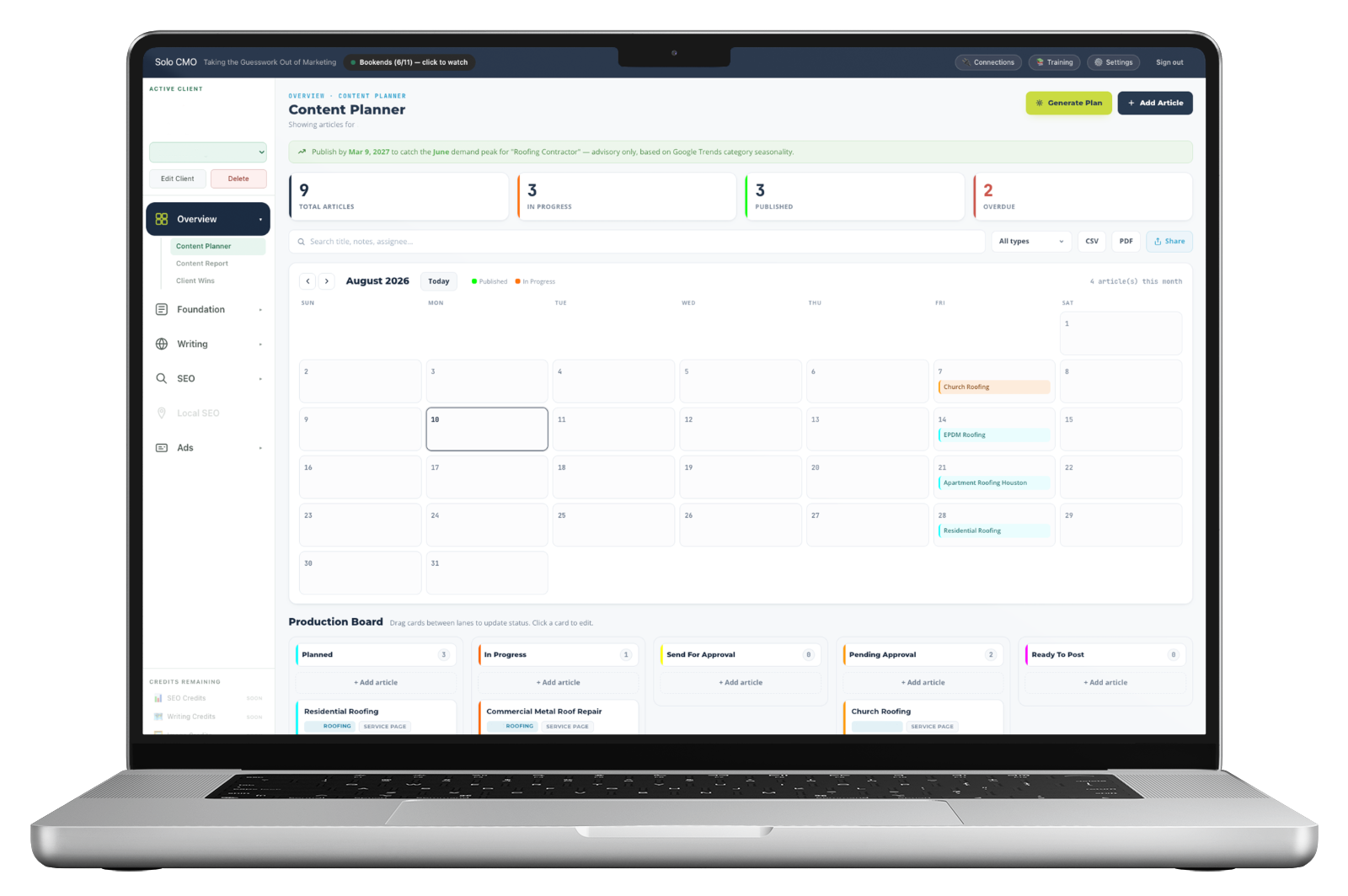
Fifteen clients, fifteen content plans, nowhere they live together.
Most solo operators end up with a spreadsheet per client, a calendar that only they can read, and a vague memory of which blog post was approved but never published. The plan isn't the hard part — keeping fifteen of them visible at once is. That's the job this module does, and it's the reason it stays on regardless of which other systems you're using that week.
Three views of the same pipeline.
Not three tools. One pipeline, rendered the way the question you're asking needs it.
Cross-client pipeline
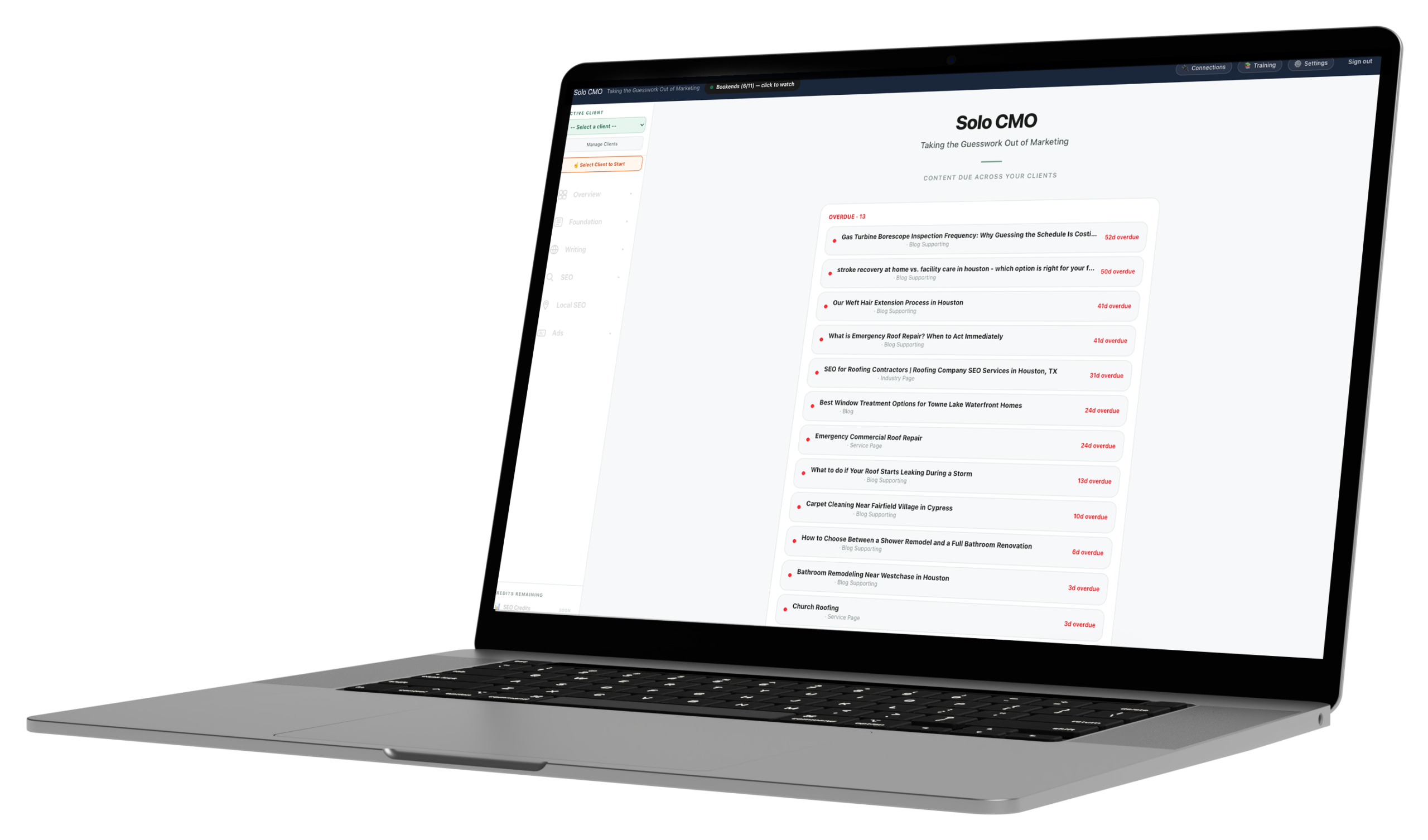
Every client on one board
The pipeline spans the whole roster by default. Filter to one client when you're working inside an engagement, then zoom back out to see what the week actually looks like.
Kanban + calendar
Two questions, two views
Kanban answers what stage everything is at. Calendar answers what ships this week. Same cards underneath, so moving one updates the other.
Publish-status tracking
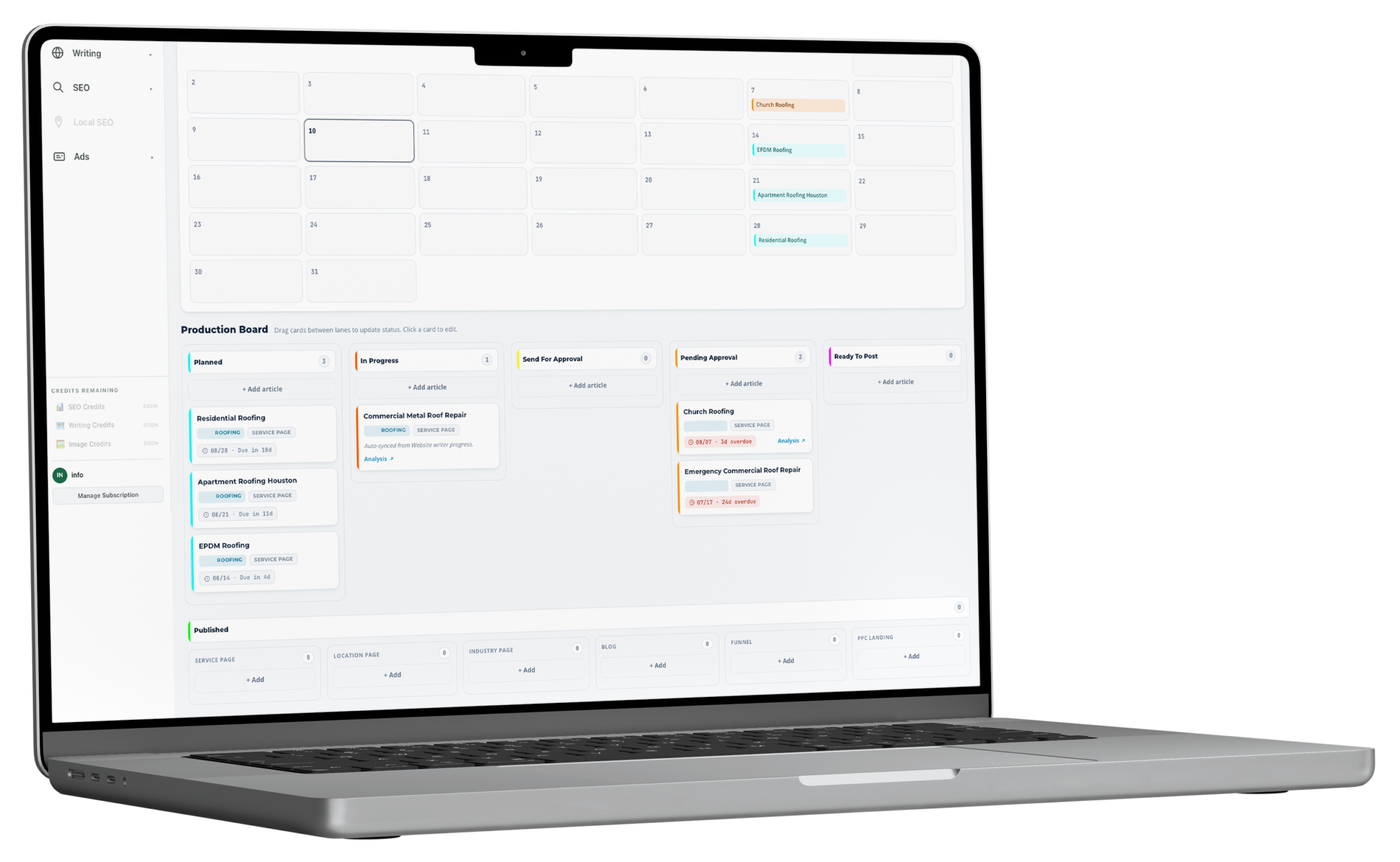
Approved isn't published
Every asset carries its own publish status. A page that got written, approved and then never went live shows as outstanding instead of closing itself out.
The board fills itself from the work you're already doing.
You don't maintain the planner as a separate task. Assets arrive on it as the other modules produce them.
Step 01
Assets land automatically
Anything content generation produces for a client arrives in the pipeline already tagged to that client, with its target keyword attached.
Step 02
You sequence, not re-enter
Drag cards to set the order and the ship dates. The plan from the SEO system decides priority, so you're sequencing a queue rather than inventing one.
Step 03
Status closes the loop
Mark a piece published and it drops out of the outstanding count. What's left is a real backlog rather than a list you stopped trusting.
What feeds it, and what it feeds.
This is the part a standalone project tool can't do. The planner isn't a board you fill in — it's downstream of the plan and upstream of the reporting.
What operators use alongside it.
Generates the assets that land in the pipeline, mapped to a cluster.
Topical Authority PlannerDecides what belongs on the board in the first place, and in what order.
Blog Structure TrackerShows which cluster each planned post is filling, and which are still thin.
Service pagesMoney pages that move through the same pipeline as blog content.
Content Planner, answered straight.
Does the planner cover every client, or one at a time?
Can I switch between kanban and calendar?
Does it track whether something actually published?
Does the Content Planner consume credits?
Can a VA or contractor work from the board?
The planner is on every plan.
There are no feature gates. Plans differ only in how many clients you run and how much you generate for them.