
Plan the whole site. See what's missing.
An interactive map of every page a client's site should have — services, silos, locations and supporting articles across five levels — seeded from their live sitemap, with everything that doesn't exist yet flagged in the same view.
Not a keyword list. The site plan itself, and the gap between it and reality.
Most topical maps end their lives as a spreadsheet.
The exercise is genuinely valuable — map the topic space, group it into silos, decide what supports what. Then it gets exported to a sheet, and the sheet has no idea which of those pages already exist, no idea what got built last quarter, and no way to become work.
Six months later nobody opens it, the site has drifted from the plan, and the only honest answer to "where are we against the roadmap" is a manual audit nobody has time to run.
The map knows what's actually on the site.
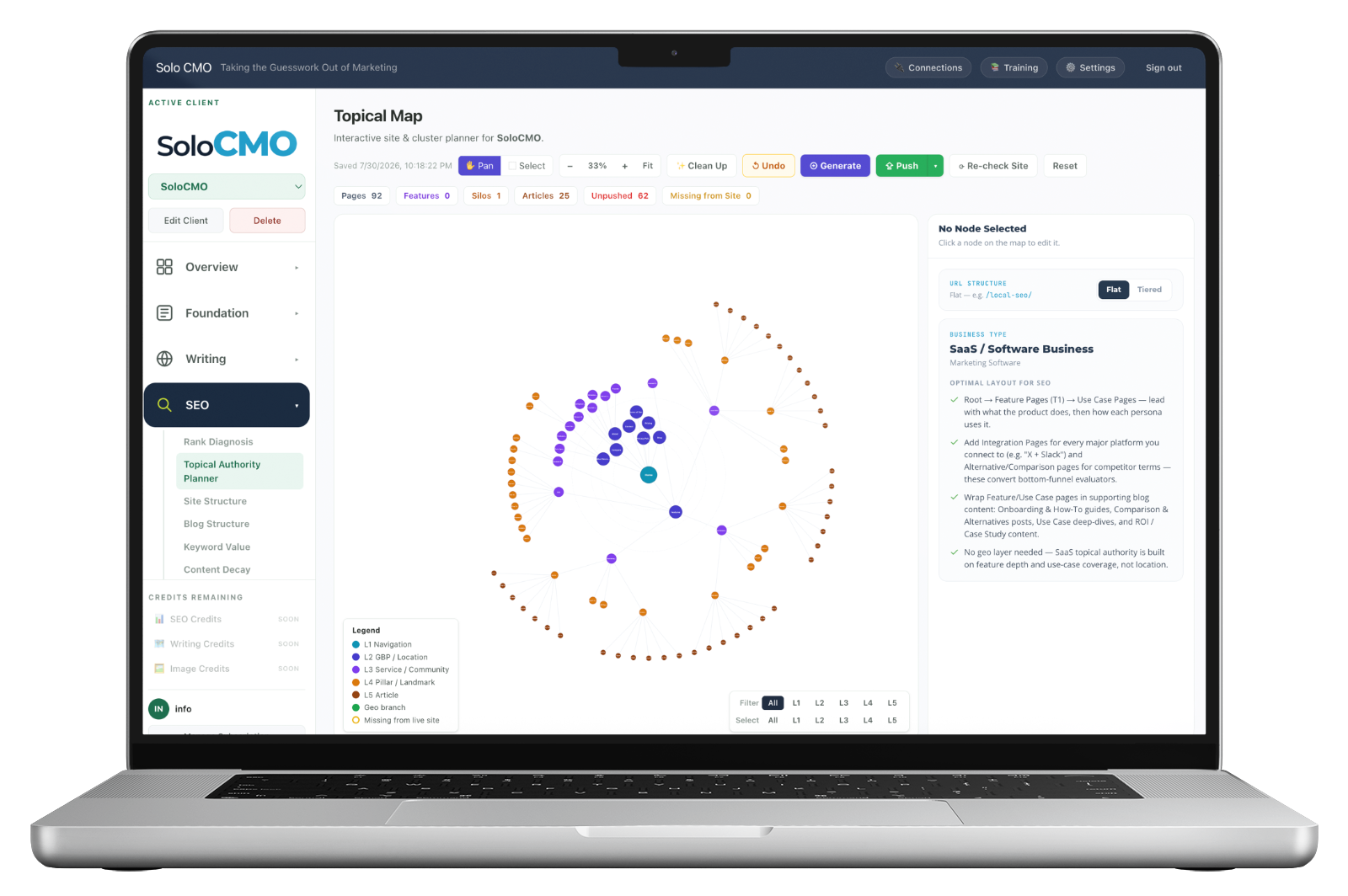
Every node is checked against the live site. Planned pages that exist look one way; planned pages that don't exist look another, and get counted. The gap between the site you designed and the site that's really there stops being an audit and becomes a number in the header.
Re-check the site whenever you want and the count updates as pages ship.
A real map header. The last two numbers are the ones that change how a Monday goes.
Every module is on every plan. Plans differ only in how many clients you run.
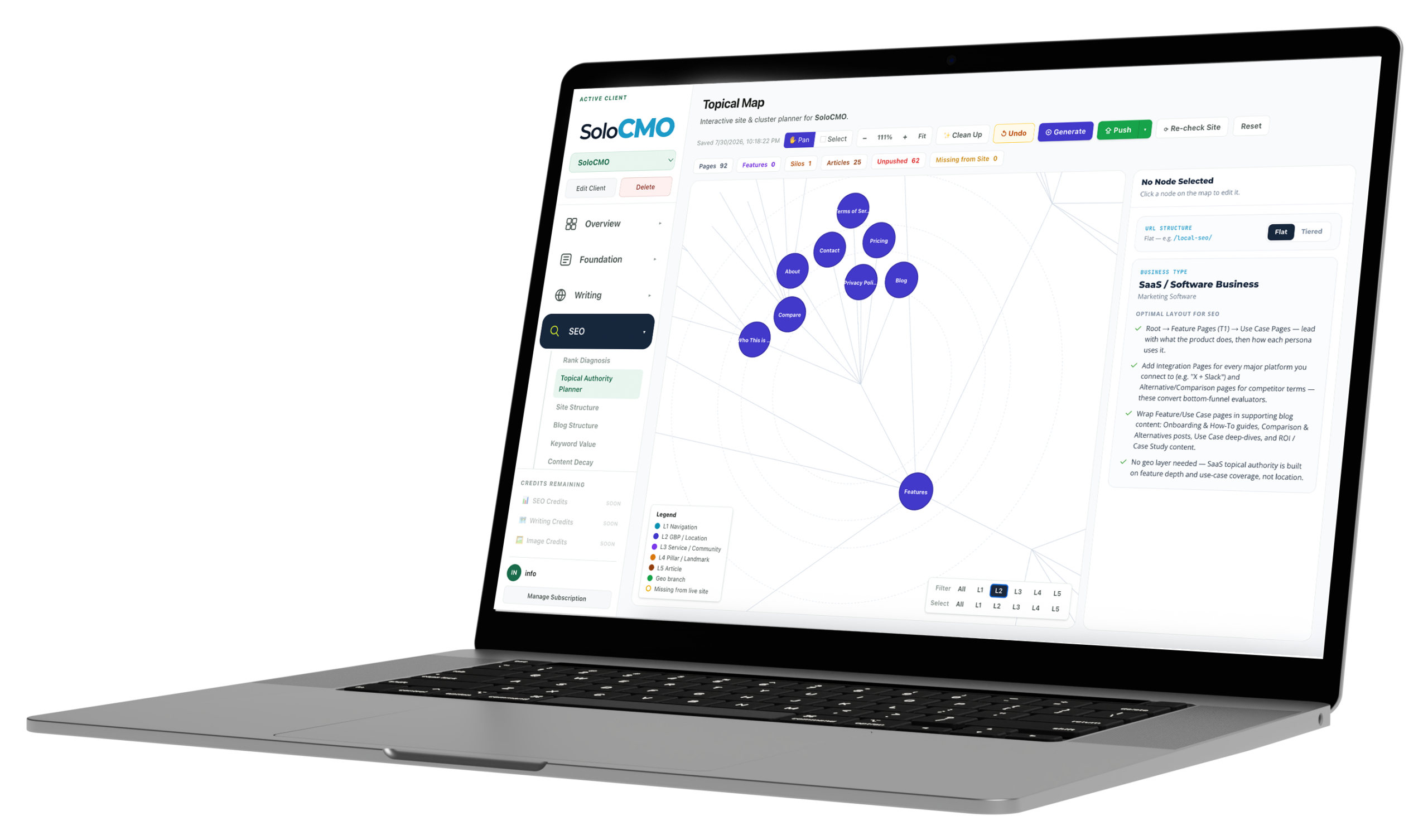
Five levels, so a map with hundreds of nodes stays readable.
Every node sits at a level, and every level means something specific in a local service site. Filter to one and the rest fade — look at just the service layer, or just the geo branch, or just the articles that support a single pillar.
On an existing site, you don't start from nothing.
The blank canvas is why most architecture work never happens. Point the planner at the client's page and post sitemaps and the map builds itself from what's already there — then you enrich it rather than invent it.
Option A
Pull the existing site structure
Pages import with their label, URL and hierarchy intact. Blog posts get grouped into topical silos automatically, so an established site arrives already organized into the clusters it accidentally built.
Option B
Start from a root
A single L1 node and an empty canvas, for a new client or a rebuild. Generate fills it out, and Clean Up tidies the layout when it gets dense.
It knows what shape a local service site should be.
The planner reads the business type and states the layout that actually works for it, rather than leaving you to arrange nodes by instinct. A generic mind-mapping tool will happily let you build a structure that no local business has ever ranked with.
- Root to service pages to subservice pages to location pages — the core silo
- A full location branch for multi-location businesses, with labels aligned to the official Google Business Profile categories
- A supporting blog silo wrapped around every service: cost, comparison, topical authority and pillar support
- A separate industries branch when a client sells to both residential and commercial buyers
- Flat or tiered URL structure, chosen once and applied across the map

Then the plan becomes work.
A map that can't become a queue is a diagram. Push a node and it moves into the content pipeline as a page to build, with its level, its silo and its place in the structure already decided — so the brief doesn't have to be written from scratch.
Push
Planned pages become queued work
Selected nodes move into production with their structural context attached. The unpushed count tells you what's planned but not yet moving.
Re-check
The map stays honest
Re-crawl the live site and the missing count updates. The plan and the reality never drift for long, because checking is one click rather than an audit.
Per client
One map each, kept
Every client has their own saved map with its own structure and counts. Switching clients switches the whole plan.
What feeds it, and what it feeds.
- Live sitemaps
- Pages & posts
- GBP Details
- Categories
- Keyword Value
- Priority
- Rank Diagnosis
- The gaps
Feeds the map
What operators run alongside it.
Coverage of the service, location and industry pages the map calls for.
Blog StructureThe supporting silos underneath each pillar, tracked as they fill in.
Keyword ValueWhat each planned page is worth, so the build order isn't guesswork.
Content generationWhere a pushed node becomes an actual page.
Topical Authority Planner, answered straight.
Do I have to build the map from nothing?
What does "missing from site" mean?
What are the five levels?
Does it know what structure my client should have?
What happens after the map is planned?
Every plan includes every module.
There are no feature gates. Plans differ only in how many clients you run and how much you generate for them.