
Content Generation
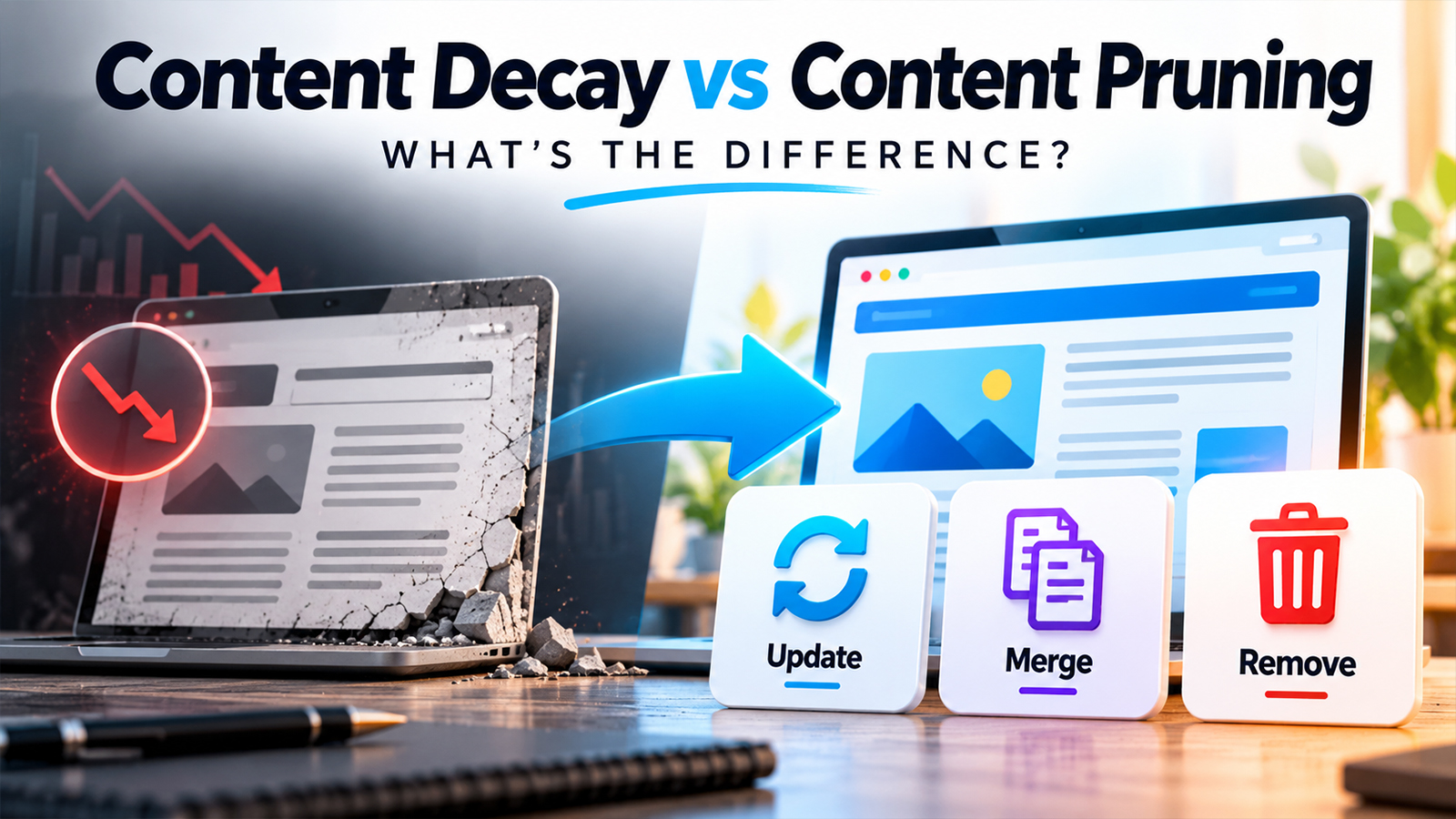
Watching a post that used to perform well quietly slide isn’t a sign you did something wrong, and it isn’t a Google penalty. It’s a normal, expected part of the content lifecycle, but that doesn’t mean the terms describing it are interchangeable. Content decay vs content pruning comes down to this: decay is the diagnosis, pruning is one possible treatment, not the only one.
Want the full breakdown of how to run a content decay audit and find out which pages qualify? We walk through that exact process below.
sUnderstanding content decay vs content pruning matters. Too much SEO advice online treats them as the same thing. They’re not. One describes a problem happening to your content. The other describes a specific fix you may or may not need. Mixing them up is how solo marketers end up deleting a page that just needed a refresh. Or they spend hours rewriting a post that should have been merged into a stronger one. Getting this distinction right is the foundation of smart content strategy for any site trying to protect its search visibility long term, and it’s part of why solid content strategies treat decay and pruning as two separate decisions rather than one reflexive fix.
Key Takeaways
- Content decay is the gradual decline in organic traffic, rankings, or visibility on a page that used to perform well. Content pruning is one of several fixes for it.
- Pruning covers three distinct actions: update or refresh, consolidate or merge, or remove through a 301 redirect or a noindex tag.
- Not every decaying page needs pruning. Many just need a refresh to recover rankings. Some old, outdated content simply needs to be retired as part of a content pruning routine.
- Decide between updating, consolidating, or pruning using traffic value, backlinks, search intent match, and duplication as your criteria.
- A light quarterly audit, helped by AI tools, keeps decay manageable without a dedicated SEO team.
What Is Content Decay?
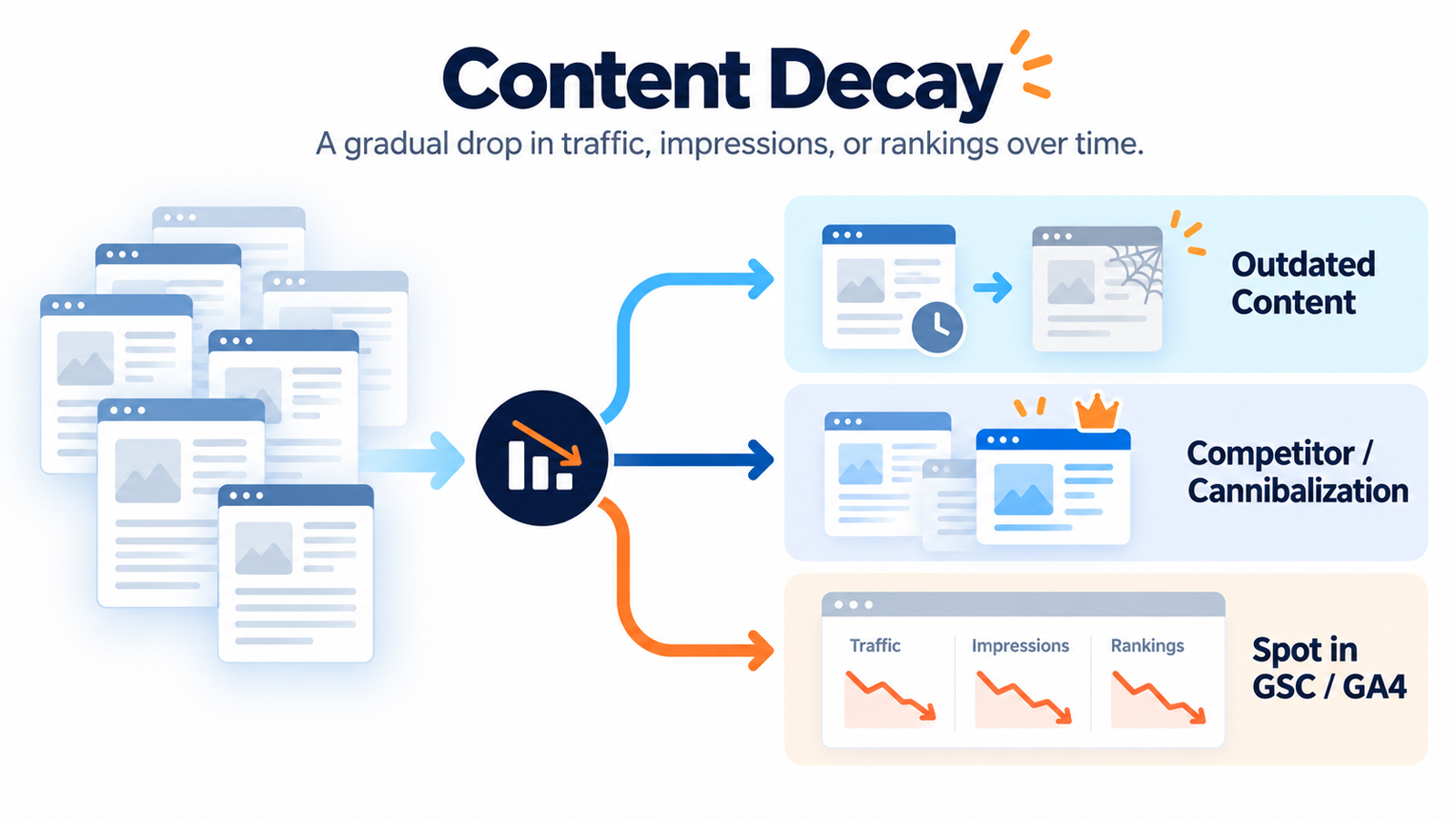
Content decay is a gradual, measurable drop in organic traffic, impressions, or ranking position on a page that once did well in search engines. It’s not a penalty. It’s a normal part of the content lifecycle. Almost every site sees it somewhere in its archive, and if you’re seeing it for the first time, that alone isn’t a reason to panic.
Common Causes of Content Decay
A few things usually cause it. SERP volatility from an algorithm update can quietly reshuffle rankings, even when your page hasn’t changed at all. Google’s own Search Central documentation treats content freshness as a relevance signal. This means information that was accurate two years ago can become outdate and lose ground simply for going stale [1]. Outdated content, competitor pages that have since out-researched yours, and keyword cannibalization also play a role. Cannibalization happens when a newer post on your own site competes for the same query. You don’t even need to touch the original page for it to lose ranking. A new post targeting the same keyword can quietly steal its visibility, especially if internal links still favor the older, weaker page.
How to Spot Decay in Your Data
You spot decay by pulling data, not by guessing. Export the performance report from Google Search Console for a given page over a 12 to 16 month window. Watch the trend line on clicks, impressions, and average position. If all three are sliding down together, that’s decay. Cross-check with Google Analytics 4 to see engagement metrics like bounce rate and time on page. Tracking these steadily is what separates a real decay pattern from normal seasonal noise. A page that’s losing visibility on search engines and losing engagement at the same time is a clear candidate for action. One that’s holding steady on engagement but losing ranking position points more toward an algorithm update or competitor movement, not a content quality problem. This often just means the page’s supporting data has aged rather than the content itself being wrong, and it’s a sign the page has simply gone outdate rather than gone bad. Sometimes the fix is as simple as adding new content to an existing section rather than starting over.
If you’re seeing sudden drops that don’t fit this slow-decay pattern, especially outside of blog content, that’s usually a different problem worth checking separately. Our piece on local pack ranking drops covers that faster-moving scenario in more detail.
What Is Content Pruning?
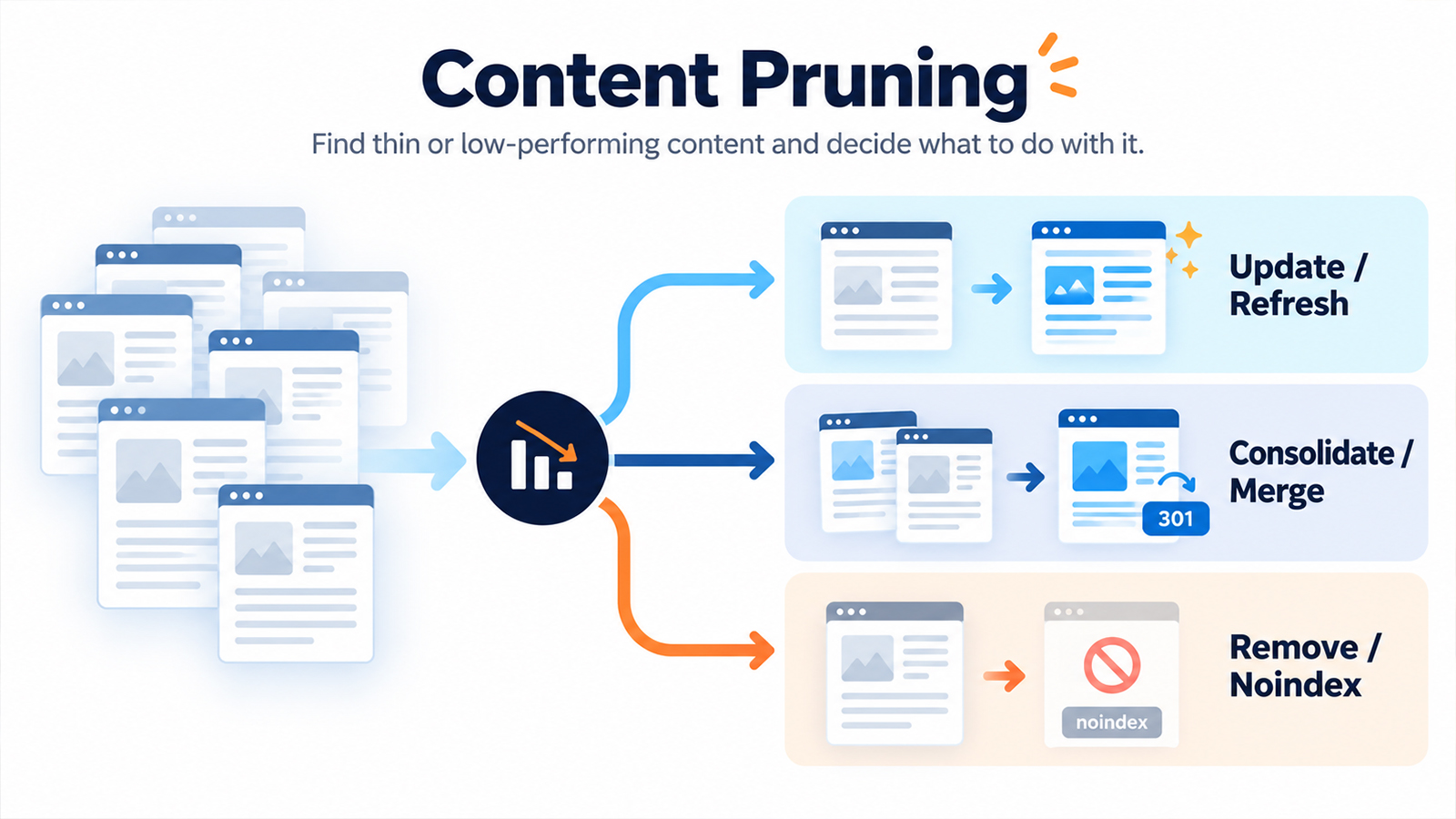
Content pruning is the process of finding low-performing or thin content that drags down a site’s overall quality signals, then deciding what to do about it. That’s the whole idea in one sentence. It is not another word for deleting old blog posts. It’s a set of options, and using it consistently is an SEO best practice for any site with a growing archive.
The Three Pruning Actions
There are three moves inside content pruning:
- Update or refresh: add current data, expand thin sections, replace outdated content, and keep the URL and its ranking history intact.
- Consolidate or merge: combine overlapping posts into one stronger page, then point a 301 redirect from the weaker URL to the surviving one.
- Remove: either redirect the page to a relevant existing page, or apply a noindex tag if you want the content to stay live but out of search results.
HubSpot’s own content team removed roughly 3,000 pieces of outdated content from its blog. For each page, they chose between refresh, redirect, and removal, rather than deleting everything at once [2]. That’s the model worth copying, not a blanket purge. It’s a useful template for any team deciding to prune content on its own site as part of a broader content pruning process. Worth noting: outdated content isn’t automatically bad content. The goal of any prune decision is separating what’s simply stale from what’s truly low-quality content with no path back to relevance. Teams that prune too aggressively, without checking pages for backlink value first, often end up pruning pages that could have simply been refreshed. And because outdate pages build up quietly, what looks fine today can age out within a year as competitors and search intent shift. If you regularly prune your content on a set schedule, this kind of quiet buildup is far less likely to surprise you.
When Deleting Content Beats Refreshing
Refresh when the topic is still relevant but the details are outdated. Consolidate when multiple pages are competing for the same search intent. Remove when a page is genuinely thin and low-performing, with no backlink value and no realistic path back to relevance. One thing worth remembering: a noindex tag is reversible. Deletion isn’t. When you’re unsure, noindex buys you time without burning the page down. It also keeps search engines from indexing duplicate content while you decide on a permanent fix. When you do prune, prioritize pages with outdated statistics or dead internal links first. Those tend to add to the decay on surrounding pages too. Fixing or removing a broken internal link during this step is a small effort with a big payoff, and it’s a core part of solid technical SEO hygiene.
Content Decay vs Content Pruning: Side-by-Side Comparison
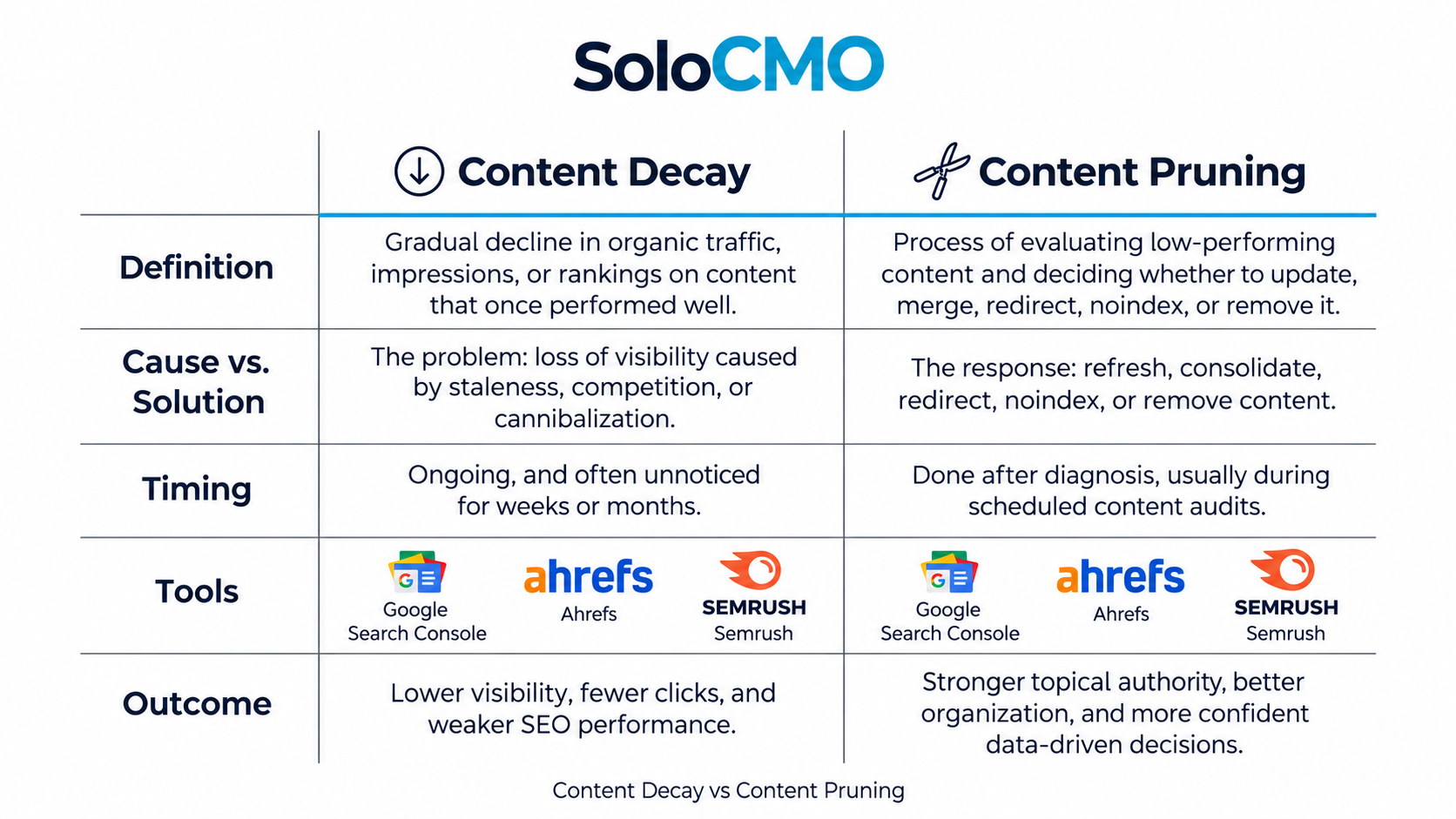
Seeing the two ideas next to each other makes the difference clear.
| Content Decay | Content Pruning | |
|---|---|---|
| Definition | Gradual decline in organic traffic and rankings | Tactical response to underperforming content |
| Cause vs. Solution | The problem: algorithm shifts, outdated info, cannibalization | The fix: update, consolidate, or remove |
| Timing | Ongoing, often unnoticed for months | Applied after diagnosis, in scheduled cycles |
| Tools Used | Google Search Console, GA4, Ahrefs, Semrush | HubSpot, 301 redirects, noindex tags, AI-assisted tools |
| Outcome | Lower visibility, fewer clicks, weaker SEO performance | Recovered rankings, stronger topical authority, leaner site |
Ahrefs and Semrush are both commonly used to pull historical traffic and backlink data. This is the raw material for deciding whether a page is worth saving [3]. HubSpot’s CMS reporting is useful for tracking content performance over time if that’s already part of your stack. AI-assisted tools increasingly sit on top of these, speeding up the analysis. That way, a solo marketer isn’t manually cross-referencing three dashboards every quarter. The table above makes the relationship clear: decay is diagnosed with historical trend data, and pruning is carried out with a specific action plan, guided by which metrics actually matter for each page. AI can help surface which metric matters most for a given page type, rather than judging every page against the same benchmark.

How to Diagnose Which Pages Are Decaying
This is where theory turns into an actual audit.
Step-by-Step Audit Process
- Pull a Google Search Console performance report filtered by page, sorted by clicks, over a trailing 12-month window.
- Flag any page with a downward trend in impressions and average position.
- Cross-check flagged landing pages in Google Analytics 4 for bounce rate, average engagement time, and conversion drop-off.
- Run a quick crawl using Ahrefs or Semrush’s site audit tool to check for broken internal links or orphaned pages that might be adding to the decline.
None of this requires a paid crawler subscription to start. Google Search Console and GA4 are free, and they’re enough to flag most underperforming content on a small SMB blog. A basic crawl on top of that data is usually enough to confirm which pages need attention. Any landing page pulling meaningful traffic deserves a closer look before you decide whether it needs a refresh or a prune. AI can also help by summarizing these exports into a single, ranked list. This is especially useful once you’re tracking more than one SEO metric across dozens of pages, and it can flag which pages are outdate enough to warrant immediate attention.
Decay Signals Checklist
- Declining impressions and clicks over a 6 to 12 month trend in Google Search Console
- Average position slipping by several spots for target keywords
- Rising bounce rate or falling engagement time in Google Analytics 4
- Fewer conversions or goal completions from the page’s traffic
- Internal links pointing to the page have decreased or gone stale, often because they point to other outdated pages that were never updated
How to Decide Between Updating, Consolidating, or Pruning
Once you’ve flagged the decaying pages, the next question is what to actually do with each one.
The Four Decision Criteria
Score each page against four factors: traffic and conversion value, backlink equity, search intent match, and duplication. Ask whether the page still earns real traffic or revenue. Ask whether it holds backlinks worth keeping. Ask whether the content still matches what searchers want today, not what they wanted when you published it. And ask whether another page on your site targets the same keyword, which points to duplicate content rather than a standalone decay problem.
Applying the Framework in Practice
The logic falls into place once you’ve scored a page. High value, strong intent match, but outdated facts: update. Two pages competing for the same keyword: consolidate. Low value, no backlinks, no intent match: prune through a redirect or noindex. Google’s E-E-A-T framework, which stands for experience, expertise, authoritativeness, and trustworthiness, matters here too. A refreshed page should show real, updated expertise, not just a new date stamp at the top, since search engines increasingly reward genuine high-quality content and relevant depth over surface-level edits [4]. Also worth remembering: Core Web Updates can suddenly make previously fine content look thin next to competitors. Outdated formatting or stale internal links can also make an otherwise solid page look neglected to both readers and search engines. That’s exactly why you should rank pages by traffic value first. It keeps you from wasting hours on low-impact fixes, and it stops you from pruning a page that a quick refresh could have saved.
If this framework feels like a lot to hold in your head while you’re also running the rest of your marketing, that’s normal. Most solo marketers score a handful of pages manually before deciding it’s worth automating the ranking step.
A Solo Marketer’s Workflow for Ongoing Content Audits
Running this alone doesn’t mean running it constantly.
Building a Quarterly Audit Cadence
A quarterly content audit is the right pace for most SMB blogs. That’s lighter than the monthly cycles some enterprise teams run. It fits inside an existing content calendar as a recurring block, rather than a separate project you have to find new time for. Rank pages by business impact first: the posts driving the most traffic, conversions, or targeting your most important keywords. Auditing your entire site in one sitting isn’t realistic for a one-person team. It isn’t necessary, either.
Where AI Speeds Up the Process
This is where AI tools earn their keep. They can flag decay candidates automatically from exported GSC and GA4 data. They can draft refreshed sections based on updated research, or create consolidation outlines that merge overlapping posts into one stronger page. AI can also help rank which old content to prune first, sorting pages by traffic loss and backlink value so you’re not guessing at where to start. It can also flag low-performing content early enough that a quick refresh is still enough to save it, and help distinguish which pages are outdate in fact versus outdate in format only. It’s also useful for spotting outdated internal links across a large archive faster than any manual crawl would allow. What used to take a multi-day manual audit, exporting data, cross-referencing spreadsheets, drafting new copy, mapping redirects, can now shrink into a few focused hours with the right AI workflow. That’s the point of building a content process for a team of one instead of a content marketing department. It’s exactly where AI-assisted SEO tools change the math on how often you can realistically prune, and how well your content strategy holds up over time, and it’s often where teams start rethinking their broader content strategies rather than patching pages one at a time. When you prune your content on a regular cadence with AI support, the whole process stops feeling like a quarterly emergency.
None of this requires hiring anyone or waiting on budget approval. If you want a closer look at how this audit process fits into a broader workflow built for a team of one, our content decay page walks through it in more detail.
Conclusion
Content decay is the problem: a gradual, measurable slide in traffic, rankings, or visibility on a page that used to earn both. Content pruning is one of three possible responses, sitting alongside updating and consolidating. Save it for pages that are truly thin, duplicate, or beyond saving. Get the diagnosis right first, using Google Search Console and GA4 data you already have access to. Then the decision to update, merge, or prune becomes far less stressful, and it keeps your site in good standing with search engines over the long run.
You now have the vocabulary, the framework, and the audit steps. What you also know, if you’re honest with yourself, is how much manual work sits underneath all of it: the exports, the crawls, the backlink checks, the rewriting, the redirect mapping, done alone, every quarter, on top of everything else on your plate. That’s a fair amount to carry solo, and there’s no shame in wanting a faster path through it. If you’d rather see what this looks like running on your own site than keep piecing it together by hand, you can get an estimate and see how it fits your workflow before committing to anything.
FAQ
What causes content decay in SEO?
Content decay is usually caused by algorithm updates, outdated content, stronger competitor pages, and keyword cannibalization from newer posts on your own site. Search engines regularly reassess relevance. A page that ranked well a year ago can slide even without any changes to it. Pinpointing which cause applies to a specific page on a small site, without a dedicated specialist, is exactly where this process gets time-consuming. AI-assisted analysis can shortcut a lot of that guesswork.
How do you know if a page needs to be pruned or updated?
A page needs pruning or updating based on four signals: traffic value, backlinks, search intent match, and duplication with other pages on your site. High-value pages with outdated content usually need an update. Low-value pages with no backlinks and poor intent match are better candidates for pruning. Applying this consistently across dozens of posts, alone, is where most solo marketers stall out. An AI-assisted first pass often helps you prune with more confidence.
Does deleting old blog posts help SEO?
Deleting old blog posts sometimes helps SEO, but it’s often not the right first move. A 301 redirect or a noindex tag usually keeps more value than outright deletion, especially if the page holds backlinks worth keeping. Getting this call wrong without an experienced eye risks losing that backlink value for good. So it pays to prune carefully rather than quickly, and to remember that pruning too fast can strip search engines of signals they were still using to rank the page.
How often should you audit content for decay?
Most SMB blogs should audit for content decay once a quarter. That’s lighter than the monthly cycles larger teams sometimes run. This pace is frequent enough to catch decay before it builds up, without turning into a constant background task. The real challenge isn’t knowing the cadence, it’s sticking to it on top of everyday marketing work, and to actually prune your content when the data says it’s time rather than letting flagged pages sit untouched.
What is the difference between content pruning and content consolidation?
Content consolidation is one specific pruning action: merging overlapping pages into a single stronger page, including reworking any internal link that pointed to the removed URL. It’s not another word for pruning as a whole. Pruning also includes updating and outright removal, so consolidation is just one branch of that decision tree. Deciding what to merge versus what to cut means comparing traffic and backlinks side by side, which is hard to do manually at scale alone, though AI can speed up that comparison considerably.
Can content decay be reversed without pruning?
Yes, content decay can often be reversed without pruning, through a straightforward content refresh. Updating outdated statistics, expanding thin sections, and improving user experience on the page is often enough to recover lost rankings. Knowing which pages qualify for a simple refresh versus which need more drastic pruning is the judgment call worth getting support on, ideally with AI tools helping you check the SEO metrics behind that decision. If you’d rather talk through a specific page than guess, reaching out for an estimate costs you nothing but a few minutes.
Sources
[1] How to Stop Content Decay and Regain Lost Web Traffic, https://aioseo.com/how-to-stop-content-decay-and-regain-lost-traffic/ [2] Why We Removed 3,000 Pieces of Outdated Content From the HubSpot Blog, https://blog.hubspot.com/marketing/remove-outdated-content [3] Content Pruning: A Step-by-Step Guide to Improving Your SEO, https://www.semrush.com/blog/content-pruning/ [4] What Is Content Decay? (And How to Fix It Before It Tanks Your Traffic), https://ahrefs.com/blog/content-decay/Recent Posts
Content Refresh vs Rewrite: Which Fixes Decaying Blog Posts Faster
A content refresh ships faster, usually in 1 to 3 hours versus 4 to 8 for a rewrite, but a rewrite recovers faster when the decay stems from a search intent mismatch. The rule of thumb is to refresh the post if it still matches what searchers want and most of it is salvageable, and to rewrite it if the

How to Build a Topic Cluster From Scratch for Your SaaS Blog
To build a topic cluster, pick a pillar topic that fits your product, collect subtopic keywords, group them by SERP overlap and intent, size the cluster, link every page to the pillar, publish in stages, then measure at cluster level. That is how to build a topic cluster in a way you can defend to a founder, and our topical authority

Where Leads Drop Off Between Ad Click and Signup
Funnel drop off between click and signup occurs at six points: the ad click, page load, above the fold, form start, form submit, and verification. The most significant leaks usually sit upstream, where the ad promise fails to match the page or where the page loads too slowly on mobile before the form ever appears. If your paid ad campaigns show
Get Smarter About Your Marketing
Practical SEO, AI, content, and marketing strategies you can put to work immediately.
Join the Newsletter