
SEO
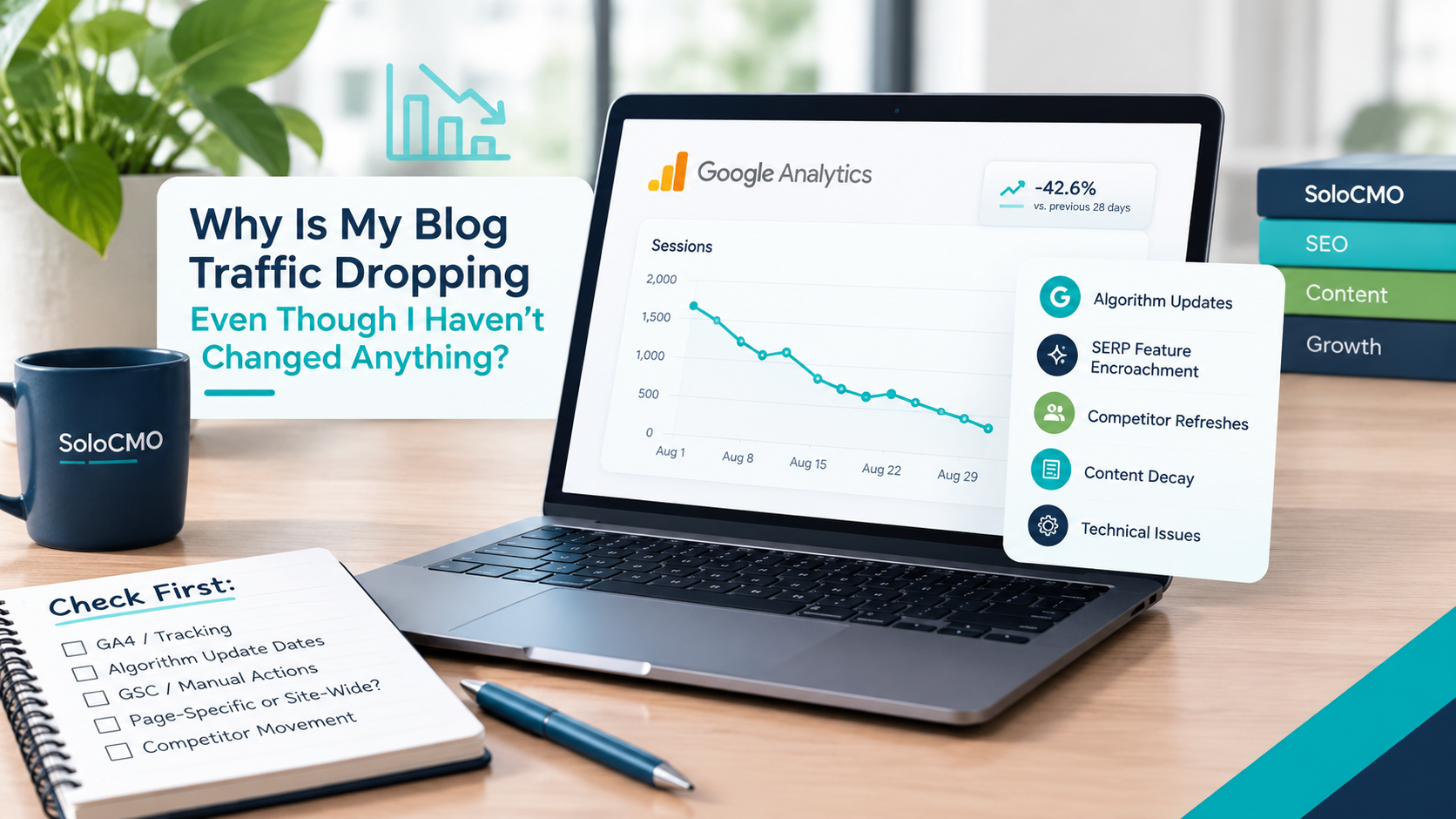
If you’re staring at a declining line in Google Analytics and mentally replaying every recent action looking for what you broke, stop. Blog traffic dropping for no reason is one of the most confusing problems a solo marketer can face.
Here’s the short answer: it’s almost never something you did.
Traffic drops without site changes are usually caused by algorithm updates, SERP feature encroachment, competitor content refreshes, content decay, or technical decay. All of these happen independently of your actions. An organic traffic drop like this can feel personal, but it’s rarely a reflection of your SEO effort.
Content decay quietly eating your rankings is one of the most common and most overlooked causes. It deserves its own look before you assume the worst. Even large, well-funded sites with full SEO teams get hit by these same forces. This isn’t a small-blog problem. It isn’t a sign you’ve done anything wrong.
What you need right now isn’t panic. It’s a process, and if it helps to know you’re not the only one working through this alone, you’re not.
Key Takeaways
- A traffic drop with zero site changes is almost always caused by one of five outside forces: algorithm updates, SERP feature encroachment (including AI Overviews), competitor content refreshes, content decay, or technical issues.
- Always confirm the drop is real in Google Analytics 4 and Search Console before chasing an outside cause.
- Match the exact date of the decline against known Google algorithm update rollout windows to test for a link.
- A page-specific drop usually points to content decay or SERP feature loss. A site-wide drop usually points to a technical issue or a broader algorithm update.
- Recovery timing varies a lot. Technical fixes can resolve in days. Algorithm-related drops often take weeks or months to settle.
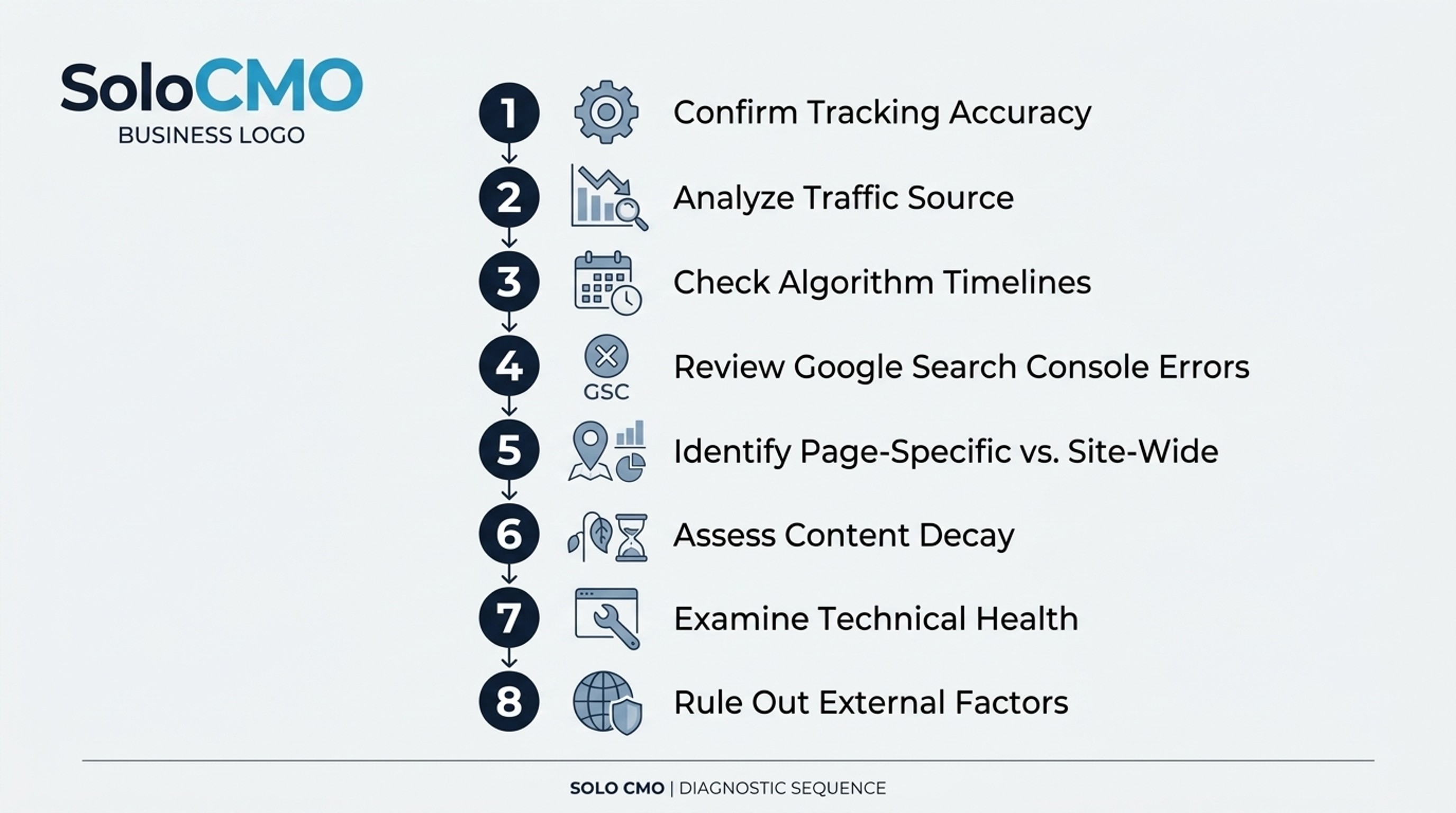
The Diagnostic Checklist: A Step-by-Step Way to Rule Out Each Cause of Organic Traffic Drop
When traffic drops and you know you haven’t changed anything, guessing wastes time you don’t have. What you need is a rule-out sequence. It’s the same logic a doctor uses to eliminate the scary diagnosis first. Work through these steps in order. Don’t skip ahead.
Confirming the Drop Is Real (Not a Tracking Error)
Before you assume Google did something to you, check whether your own analytics setup is lying to you. Open Google Analytics 4 and confirm the date range, the property, and any filters applied to the report. A stray filter left over from a past audit, a broken tag, or a botched GA4 migration can produce a graph that looks exactly like a real traffic drop. This is more common than most marketers admit, especially if you inherited the analytics setup or made a change months ago and forgot about it.
The Full Rule-Out Sequence at a Glance
Once you’ve confirmed the drop is real, work through the remaining checks in this order:
- Check the exact date against known algorithm update timelines
- Check Search Console for manual actions, indexing issues, or crawl errors
- Determine whether the drop in traffic is page-specific or site-wide
- Check competitor movement on the same keywords
- Compare against last year’s traffic for seasonality
- Review technical health: Core Web Vitals, broken links, forgotten redirects
- Check for referral or backlink loss from third-party sites
Each of the following sections walks through one of these steps in detail. Take them one at a time. There’s no prize for rushing this, and a wrong guess here usually costs more time than the careful version would have.

How Do I Know If a Google Algorithm Update Hurt My SEO Traffic?
A Google algorithm update is often the first suspect, and for good reason. Google rolls out several confirmed broad core updates every year. It also releases more targeted updates aimed at specific content quality issues.
Core Updates vs. the Helpful Content Update
Broad core updates change how Google’s ranking systems judge pages across the whole search engine. They often affect many topics and industries at once. The Helpful Content Update works differently. It’s a site-wide classifier focused on content quality and usefulness. This means it can quietly suppress an entire blog’s visibility if enough pages read as thin, generic, or written to game search rather than help a searcher. If your traffic drop lined up with a Helpful Content Update rollout, and your posts skew shallow, that’s a strong lead. It’s often a sign your on-page SEO needs a real optimization pass rather than a quick patch.
Using Search Console to Confirm Timing Alignment
Open the Performance report in Google Search Console. Set the date range to bracket the suspected update window. Look at clicks and impressions together, not just one metric. If both fell sharply right at a confirmed rollout date, you likely have your answer. Matching a known algorithm update is a strong signal, but it isn’t absolute proof. Other causes can hit in the same week, so keep this as one data point rather than a final verdict.

Check Search Console for Manual Actions, Indexing, and Crawl Errors
Before blaming Google’s algorithm, rule out the technical explanations sitting quietly in Search Console. This is also where you can put your biggest hidden fear to rest fast.
Ruling Out a Manual Action
Go to the Manual Actions report in Search Console. If it’s empty, you do not have a penalty. One check erases one of the scariest possibilities in under thirty seconds. Do it early.
Indexing and Crawl Errors to Watch For
Next, open the Page Indexing report. Look for a sudden spike in pages marked “excluded” or “not indexed.” A plugin update on WordPress can silently add a noindex tag to templates you never touched yourself, quietly pulling pages out of Google’s index without any warning. This happens more often than you’d expect. Also check robots.txt for accidental crawler blocks, review your sitemap submission status, and scan for a rise in 404 errors that could be blocking crawl access to important pages. This is the most common “I didn’t change anything” technical trap, because the change came from a plugin or theme, not from you. If a meaningful share of your site drops out of the index, that alone can produce an organic traffic drop that looks identical to an algorithm hit.

Why Is My Organic Traffic Decreasing But Rankings Staying the Same?
This is one of the most confusing patterns a solo marketer will face. Your position tracker says you’re still ranking. Your organic traffic says otherwise.
Checking Impressions vs. Clicks in Search Console
Pull up the Performance report. Compare impressions to clicks for the affected queries. If impressions and average position have stayed flat while clicks fell, the problem isn’t your ranking. It’s what’s happening above your ranking on the search engine results page.
When AI Overviews Are the Real Cause
Featured snippets, People Also Ask boxes, and especially AI Overviews can now answer a searcher’s question directly on the results page. This satisfies the searcher’s need without a single click through to your site. It’s a structural shift in how search results are structured and consumed, not a content problem you can fix by rewriting a paragraph. It’s worth being honest here: there’s often no clean page-level fix for AI Overview cannibalization. Some causes you monitor. You don’t chase them.

Can Old Blog Posts Lose Traffic Over Time Without Being Edited? (Content Decay Explained)
Yes, and this is one of the quietest traffic killers a blog can experience. Nothing about your post ever changes while everything around it does.
What Content Decay Actually Means
Content decay describes the slow loss of rankings and traffic a page suffers over time. It’s driven by shifting search intent and fresher competing content, even though the original page is never touched. It’s different from a penalty or an algorithm hit. It’s a slow erosion process, not a cliff. It’s one of the most common quiet drivers of an organic traffic drop that goes unnoticed for months.
How Competitor Refreshes Quietly Outrank You
While your post sits untouched, a competitor updates their statistics, adds new examples, and expands their coverage. They earn a small ranking bump for freshness and depth, sometimes bolstered by fresh backlinks pointing to the updated version. They also gain a steadily growing share of the click volume that once went to your page. Repeat that dozens of times across a market, and your once-strong post slides down the page one spot at a time. It loses ground in the search results even though nothing about your own page changed. Pull the keyword’s historical ranking and traffic trendline in Ahrefs or Semrush. You’ll usually see a steady downward slope rather than a single-date drop. This visually confirms decay rather than an algorithm hit or penalty.
If this is the pattern you’re seeing, it’s worth reading further on how content decay specifically shows up and what a reasonable refresh cadence looks like for a one-person blog.

Check for Seasonality, Technical Health, and Site Migrations You May Have Forgotten
Some traffic drops have nothing to do with Google’s algorithm or your competitors. They’re baked into the calendar, or buried in a change you forgot about.
Ruling Out Seasonality First
Run a year-over-year comparison in GA4 before assuming the worst. Many B2B and SMB blogs see predictable seasonal dips tied to industry buying cycles, holidays, or budget cycles. If this month’s numbers roughly match last year’s same-month dip, you may not have a problem at all.
Core Web Vitals, Website Redesign, and Forgotten Redirects
Check Core Web Vitals in Search Console for a decline in loading speed, interactivity, or visual stability. All of these affect user experience and can quietly suppress rankings without any visible design change. A slow-loading page can also discourage a visitor from bothering to click through to a second page at all, which compounds the damage.
A WordPress plugin update or a CDN configuration change can hurt these scores without anyone touching the site’s actual content. While you’re in there, check for broken internal links, orphaned URLs, or leftover redirect chains from an old website redesign or migration that’s technically still live in the background.
A website redesign from months ago can keep causing damage long after launch if redirects were never cleaned up, or if a staging URL was accidentally left indexable in Google’s index.

Why Did My Traffic Drop But Conversions Stay the Same? (And Why Nothing You Did Still Caused It)
If your traffic fell but leads, demos, or signups held steady, that’s actually useful information, not a contradiction.
Why Visibility and Conversions Aren’t the Same Metric
Google’s ranking systems, competitor content, and SERP layouts all shift constantly, independent of anything on your own site. Visibility for a keyword can fall while the pages actually driving revenue stay untouched. If the drop is concentrated in top-of-funnel, informational content, and your demo or quote pages weren’t affected, your business impact is limited even though the traffic dashboard looks alarming.
Backlink and Referral Loss You Can’t Control
A third-party cause worth checking is referral and backlink loss. A partner site restructuring its pages, a directory shutting down, or a referring domain losing its own search visibility can quietly dent your traffic and backlink profile with zero action from you. Losing a handful of authoritative backlinks can be enough to nudge a competitive keyword out of the top few positions. Each lost link often represents a source of direct click-throughs disappearing along with it. This reinforces the core point: a traffic drop isolated to low-intent pages isn’t automatically a crisis. It changes what you prioritize fixing first, not whether you should panic.
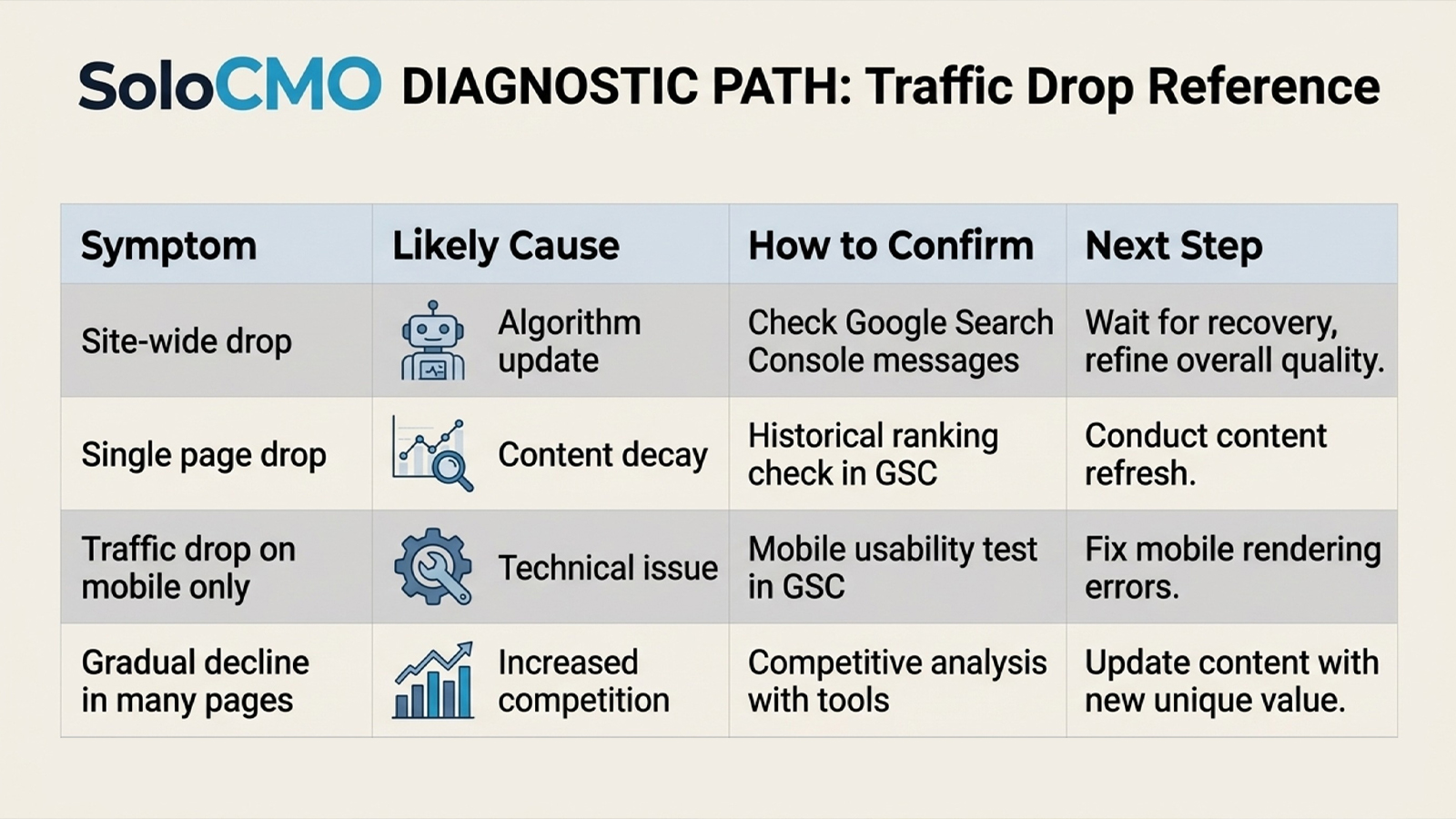
Symptom-to-Cause Table: Match What You’re Seeing to the Likely Cause
Once you’ve worked through the checklist, use this table to pattern-match quickly.
| Symptom | Likely Cause | How to Confirm | Next Step |
|---|---|---|---|
| Sudden, site-wide drop on a known update date | Google algorithm update | Compare Search Console Performance dates to confirmed rollout windows | Wait and monitor; avoid reactive content changes |
| Pages missing from Search Console coverage | Indexing, noindex, or crawl issue | Check Page Indexing report and robots.txt | Remove noindex tags, resubmit sitemap |
| Clicks down, impressions and position stable | SERP feature or AI Overview encroachment | Compare impressions vs. clicks by query | Deprioritize; monitor only, focus elsewhere |
| Gradual decline over months on specific keywords | Content decay | Check ranking trendline in Ahrefs or Semrush | Refresh content depth and update data |
| Drop matches prior-year seasonal dip | Seasonality | Run year-over-year comparison in GA4 | No action needed; confirm trend continues |
| Slower load times, worse Core Web Vitals scores | Technical decay | Run Core Web Vitals report in Search Console | Fix speed and UX issues, audit recent plugin updates |
| Referring domains disappearing from backlink profile | Referral or backlink loss | Check backlink report in Ahrefs or Semrush | Reach out for relink or replace lost sources |
Once you know the cause, prioritize like this:
- Fix first: indexing errors, noindex tags, broken redirects. These are fast and fully within your control.
- Fix second: content decay on commercially valuable pages. Moderate effort, strong return.
- Monitor, don’t chase: algorithm updates and seasonality. Time will resolve or confirm these.
- Largely accept: SERP feature and AI Overview clicks absorbed by Google’s layout. There’s limited page-level fix available.
This is triage, not a full audit. A one-person marketing department can’t fix every flagged issue in a week. Prioritization is the real skill here, not perfection.
One SMB marketing manager we worked through this framework with had assumed a redesign from eight months prior was long settled. A quick technical check turned up a batch of unresolved redirect chains from that old migration, still quietly dragging on crawl efficiency and keeping pages out of Google’s index. Cleaning up the redirects and resubmitting the sitemap brought indexing back to normal within about two weeks. No algorithm mystery required.
If you’re mid-checklist and starting to feel the weight of doing this solo, that’s a normal reaction. The framework works. It just takes real hours to run it properly, and those are hours most solo marketers don’t have lying around.
Conclusion: Stop Diagnosing Alone, Every Single Time
Here’s the uncomfortable truth underneath all of this: a one-person marketing department doesn’t have the bandwidth to monitor SERPs, track every algorithm update, and watch competitor content refreshes on a weekly basis. That’s exactly why an organic traffic drop goes unnoticed for months instead of days. There’s no system watching for it between your other fifteen responsibilities, and no one auditing your SEO health on a regular cadence.
You now understand the mechanism behind this drop. But you’ve also just seen how much ongoing vigilance the same diagnostic demands every single time it happens again. That’s the part that wears solo marketers down: not the fix, the repetition. SoloCMO exists to carry that weight for you, with systemized content decay monitoring built for a team of one, not another enterprise suite full of collaboration features you’ll never touch. If you’d rather not run this checklist manually every time a graph dips, it’s worth seeing what that looks like for your blog specifically. You can get an estimate whenever you’re ready, no pressure to decide today.
FAQ
Why did my website traffic suddenly drop?
A sudden drop in website traffic usually comes from one of three sources: a Google algorithm update, a technical or indexing issue, or a tracking error in your analytics setup. Guessing between these wastes time, which is why a structured checklist matters more than a hunch. Ongoing monitoring is what catches this before it becomes a sudden, unexplained crisis. It’s a core part of any serious SEO practice.
How do I know if a Google algorithm update hurt my traffic?
Comparing the exact date of your traffic decline to confirmed Google algorithm update rollout windows in Search Console is the main way to test this. If clicks and impressions fell sharply right at a rollout date, that’s a strong signal. Correlation isn’t certainty though, which is why automated monitoring tools track update timing continuously instead of relying on memory.
Why is my organic traffic decreasing but rankings staying the same?
SERP features and AI Overviews are often soaking up clicks without changing your actual ranking position. A searcher’s question gets answered directly on the results page, so they never click through, even though your blue-link position hasn’t moved. Confirming this means comparing impressions to clicks by query, an analysis most solo marketers don’t have time to run every week.
Can old blog posts lose traffic over time without being edited?
Content decay causes exactly this pattern. It’s driven by competitor refreshes and shifting search intent rather than anything wrong with your original post. The page didn’t get worse. Everything around it got better or changed. The real fix is an ongoing content refresh cycle, paired with basic on-page optimization and periodic keyword research, not a one-time edit. That’s where systemized support actually matters.
How long does it take to recover from a Google algorithm update?
Recovery timelines vary widely, generally ranging from a few weeks to a few months. This often ties to the next core update cycle rather than anything you can force. Making reactive content changes during this window can do more harm than good. Patience paired with steady monitoring beats guesswork every time.
Why did my traffic drop but conversions stay the same?
Traffic loss concentrated in low-intent, informational pages often leaves conversions untouched, because the pages actually driving demos or signups weren’t affected. Not every drop deserves equal urgency. That’s a judgment call that gets much easier with structured reporting already in place, instead of scrambling after the fact.
Can traffic drop even if my rankings didn’t change?
Yes, this happens regularly, mainly because of SERP layout changes and AI Overviews sitting above your listing and soaking up the click. This gap is exactly why rank tracking alone is an incomplete diagnostic for modern SEO. You need visibility into impressions, clicks, and SERP layout together, not position data on its own.
Still not sure which bucket your drop falls into after working through this? That’s normal, and it’s usually the moment to get a second set of eyes rather than keep guessing alone. You can reach the team at (XXX) XXX-XXXX or get an estimate online to walk through what’s happening on your specific blog.
Recent Posts

Why Is My Funnel Converting Below Industry Average?
A below-average funnel conversion rate almost always comes from one of five causes: mismatched traffic, a weak landing page or offer, poor follow-up, weak lead qualification, or the wrong benchmark. You don’t need a week of guessing to find the cause. A structured funnel diagnostic can find it in hours. If you’d rather hand the work off, that’s exactly what
Why Is My Blog Traffic Dropping Even Though I Haven’t Changed Anything?
If you’re staring at a declining line in Google Analytics and mentally replaying every recent action looking for what you broke, stop. Blog traffic dropping for no reason is one of the most confusing problems a solo marketer can face. Here’s the short answer: it’s almost never something you did. Traffic drops without site changes are usually caused by algorithm
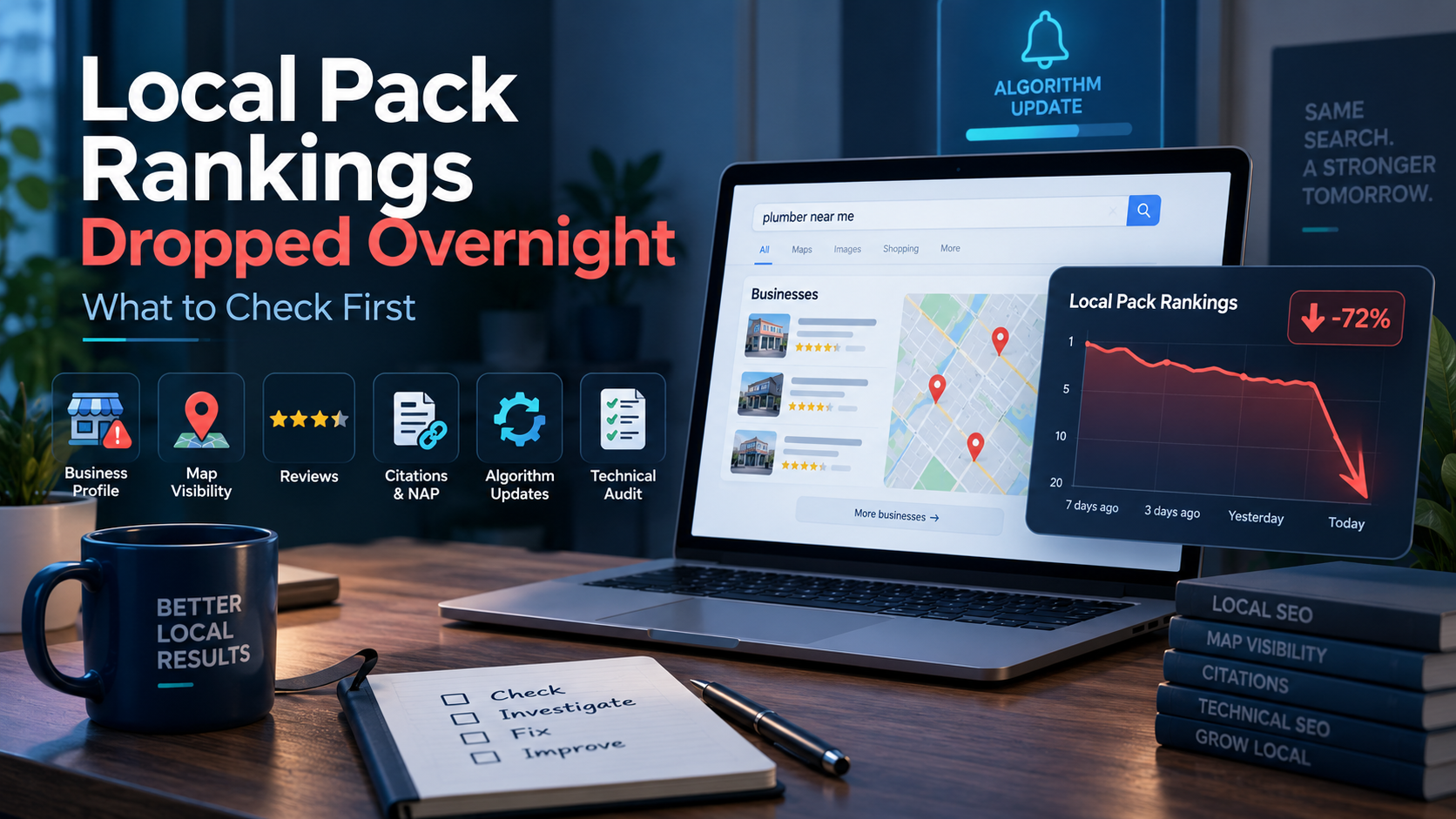
Local Pack Rankings Dropped Overnight: What to Check First
Okay, first thing: check your Google Business Profile status. When local pack rankings drop overnight, that’s the fastest and most common cause, and confirming it takes under two minutes. This isn’t a mystery that needs an agency or a week of guessing. It’s a known, ordered checklist, and you can run it yourself in the next hour. If your GBP
Get Smarter About Your Marketing
Practical SEO, AI, content, and marketing strategies you can put to work immediately.
Join the Newsletter