Local SEO
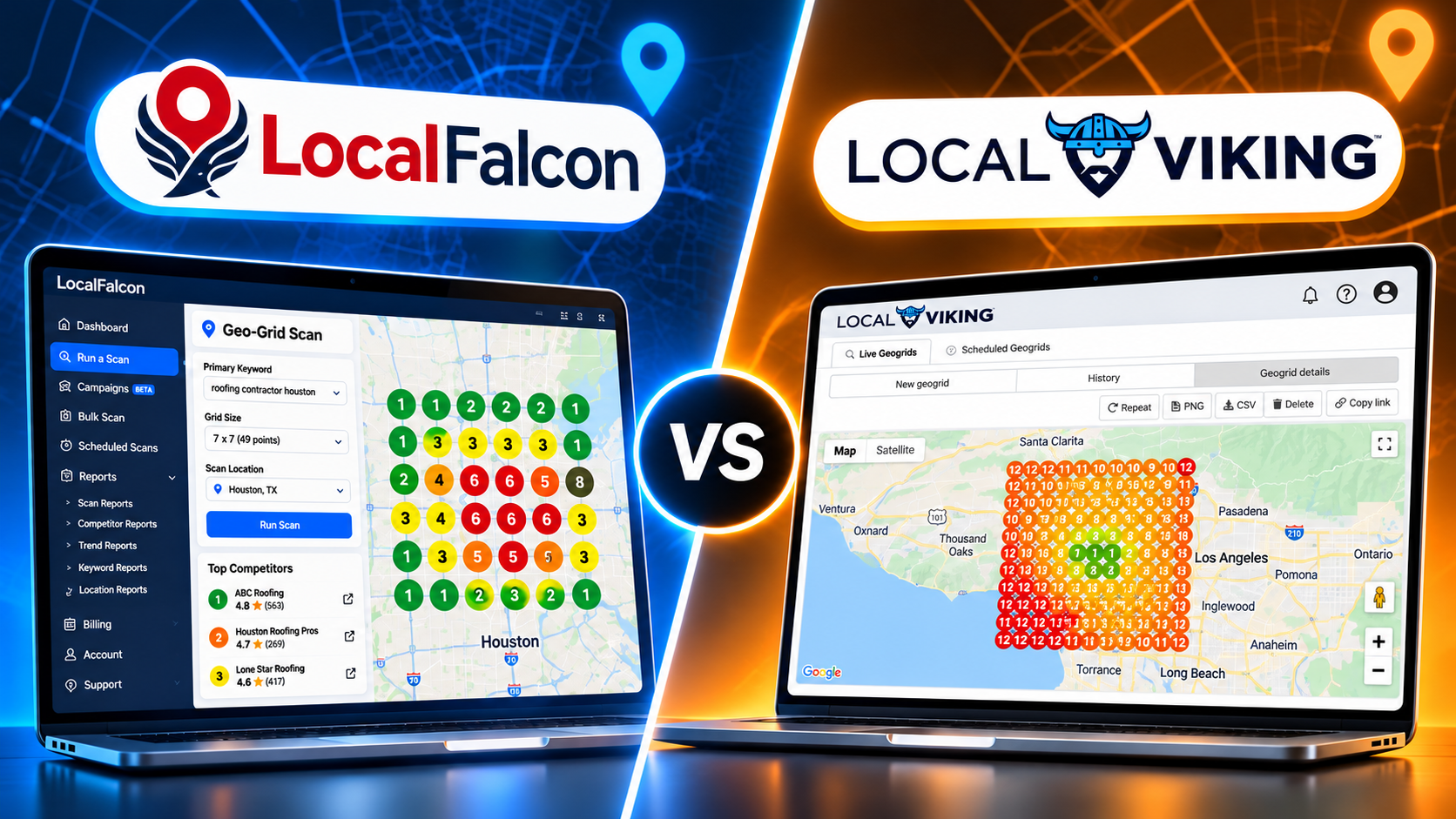
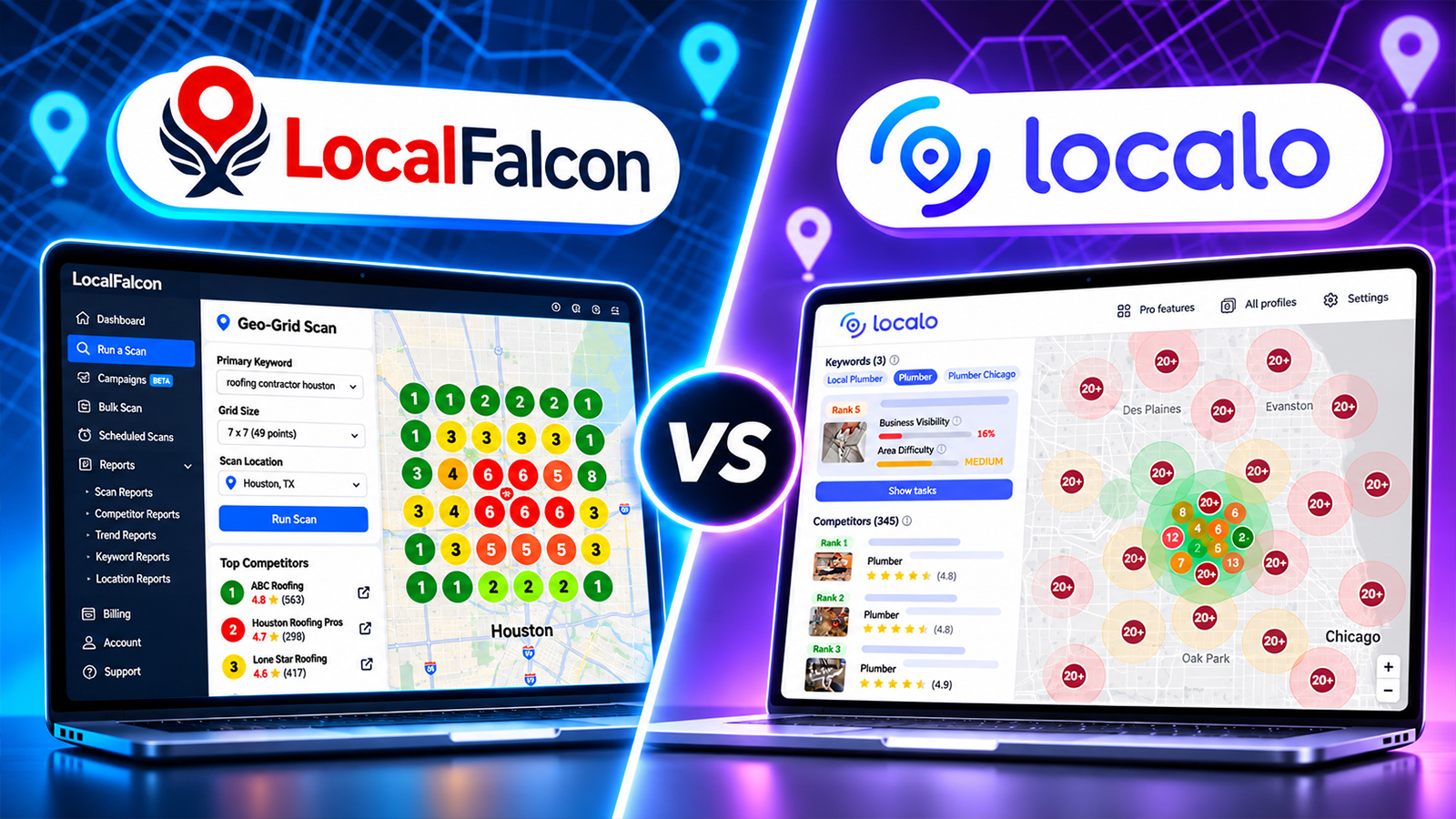
The difference between Local Falcon and Local Viking comes down to focus: Local Falcon is a specialist geo-grid scanner with a flexible credit system and deep ranking metrics, whereas Local Viking is a Google Business Profile management suite that includes a GeoGrid module. If you already own local SEO, email, and social alone, that distinction decides everything, and it is the heart of the local falcon vs local viking choice.
The verdict, in three lines. For a solo marketer who needs accurate rank data and boss-ready reports, Local Falcon is the stronger choice: it starts at $24.99 per month, tests free, and takes less time to learn. Local Viking earns its place only if you want posts, reviews, and rank scans in one login, and only after you confirm the vendor’s current packaging. And if your real bottleneck is what happens after the scan, neither tool solves it, which is where SoloCMO comes in later in this article.
Key Takeaways
- One tool is a pure grid scanner, while the other bundles a grid inside a GBP management product, so the two solve fundamentally different problems for small businesses.
- Local Falcon starts at $24.99 with 7,500 credits, and because one credit equals one grid point, a 7×7 grid costs 49.
- Local Viking pricing pages have been reported redirecting to Local Optics, so confirm packaging with the vendor before you commit to a purchase.
- For most one-person teams that only need rank data, the free credits on Local Falcon make it the lower-risk first step.
How Do Local Falcon and Local Viking Compare at a Glance?
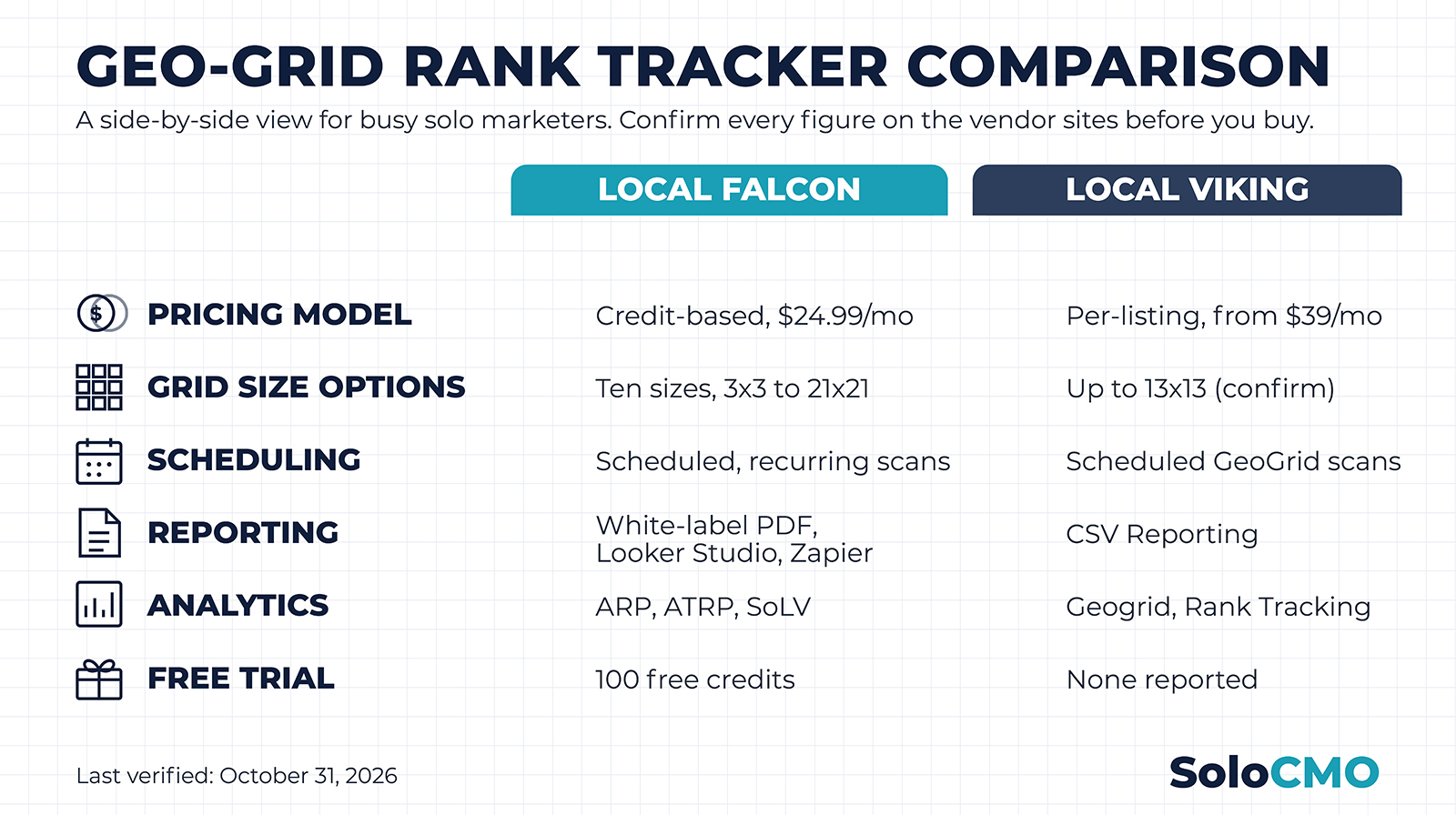
Both tools run a grid of simulated Google Maps searches and show you where your business appears. They differ in price structure, in what else you get, and in how much of your week they eat. The table below is the fastest side-by-side view. Where sources disagree, I mark the cell so you can check the vendor site rather than trust a guess.
Side-by-side feature table
| Feature | Local Falcon | Local Viking |
|---|---|---|
| Pricing model | Credit-based, one credit per grid point | Tiered plans with GeoGrid and keyword credits |
| Entry price (as published) | $24.99 per month, 7,500 credits | About $39 per month for a single listing |
| Grid sizes and radius | Ten sizes, 3×3 up to 21×21 | Up to 13×13 per BrightLocal; another source says 15×15 (confirm) |
| Scan scheduling | Scheduled and recurring scans | Scheduled GeoGrid scans |
| Competitor tracking | Yes, top competitors shown per point | Yes, within GeoGrid reports |
| Reporting and export | White-label PDFs, Looker Studio and Zapier on plans above Starter | PDF reports; confirm export options |
| Metrics | ARP, ATRP, SoLV | Average rank and visibility metrics (confirm naming) |
| Extra features | Falcon AI at 25 credits per run | Posts, reviews, listing tools |
| Support | Knowledge base and email | Help center and chat (confirm) |
| Free trial | 100 free credits | No free trial reported |
Last verified: October 31, 2026. Prices and features change, so confirm everything on each vendor’s site before buying.
How to read the table as a solo marketer
Focus on three rows: entry price, free trial, and extra features. The free trial row tells you how cheaply you can test. The extra features row shows whether you are buying a grid tool or a whole GBP toolkit. If you already use other software for posts and reviews, paying for a bundled suite adds cost without adding value. Local Dominator, a cheaper rival covered later, also belongs in this comparison for readers who want a third option.
If you want a second opinion on any single row, the cluster comparisons linked later in this article go deeper on each rival. You don’t need to read them all. Pick the one that matches the tool you keep circling back to.
What Is a Geo-Grid Rank Tracker and How Does It Work?
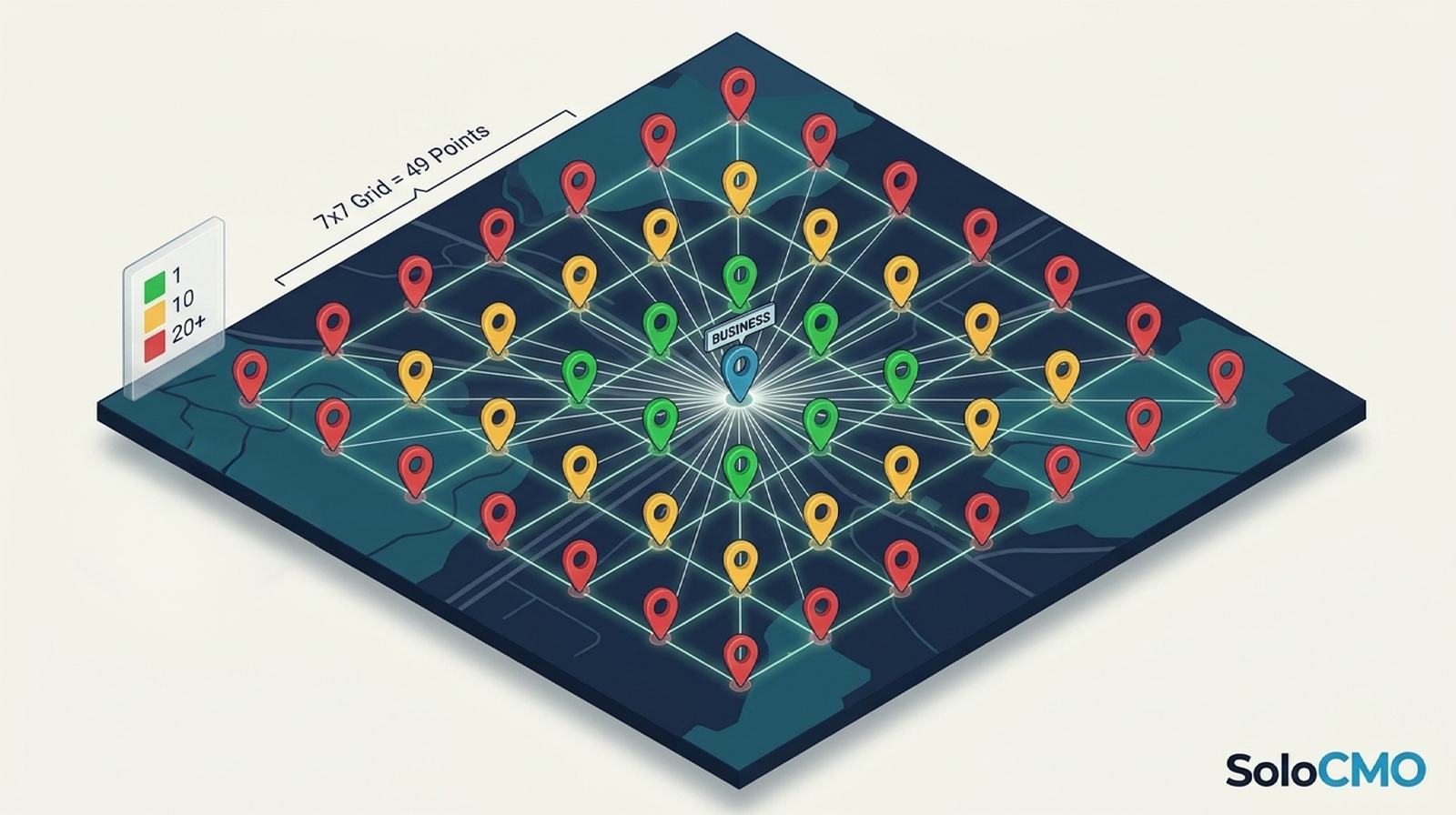
A geo-grid rank tracker shows how your Google Business Profile ranks in Google Maps from many points across a map, rather than from a single address. It lays a grid over a service area, runs a simulated search from each point, and records your position at every spot. The result is a heatmap of strong and weak zones.
How a geo-grid scan works, point by point
Picture a 7×7 grid centered on a plumber’s shop, which gives you 49 points. The tool searches “emergency plumber” as if standing at each one and records where the shop shows up. Green pins mean top positions. Red pins mean the business is buried or missing. Some guides call this geogrid rank tracking, and it exposes something a single check never will: visibility changes block by block.
Most tools pull listing data through Google Places API-based data, which is why results look similar across vendors. The real differences sit in grid options, cost, and reporting.
ARP, ATRP and SoLV in plain language
Three metrics matter, and they come from Local Falcon’s own documentation:
- ARP, or Average Rank Position, is your average rank across the points where you appear.
- ATRP, or Average Total Rank Position, averages across every point, counting misses as a low rank.
- SoLV, or Share of Local Voice, is the percentage of grid points where you rank in the top three. SoLV is a trademark of Local Falcon LLC.
If you give your boss one number, make it SoLV. “We show up in the top three on 34 percent of the map” lands faster than a table of averages.
Why a single ZIP-code check misses the picture
Checking one ZIP code gives you a single number for a whole area. Yet the Google Local Pack, the three-listing map block, shifts with the searcher’s exact location. A business can rank first at its own address and vanish two miles away. A grid reveals that gap, which is why local rankings demand a map view rather than one position, and why any serious local SEO workflow starts with one.
Local Falcon Deep Dive: Strengths, Limits and Credit Pricing
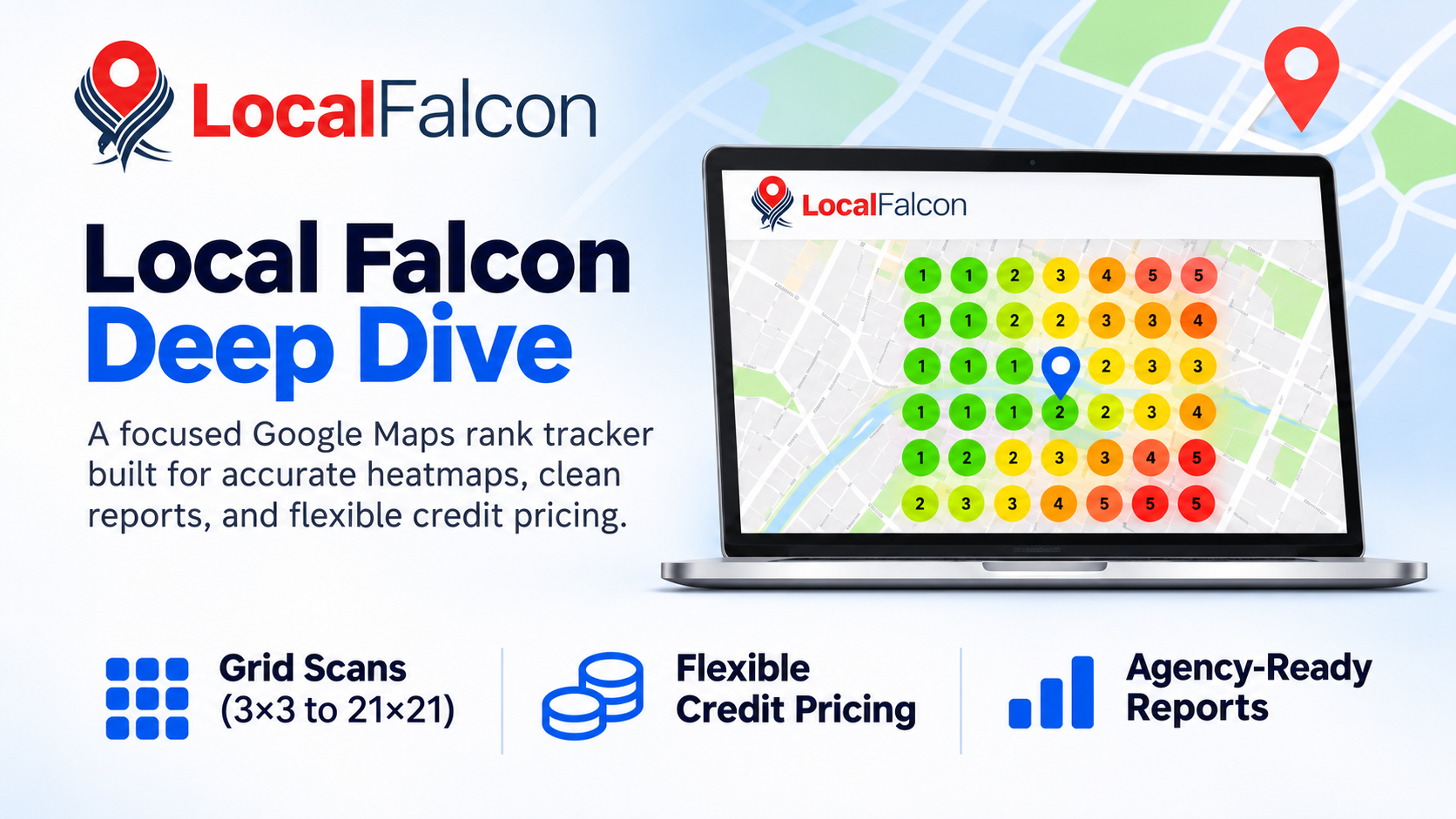
Local Falcon is a focused scanner built to measure Google Maps visibility and little else. That focus is both its biggest strength and its main limit. You get depth on rank data, but no tools to post, reply to reviews, or manage listings.
What Local Falcon does best
It offers ten grid sizes, from 3×3 up to 21×21, with unlimited keywords and locations on every plan. Falcon AI runs for 25 credits and summarizes scan findings. Plans above Starter add Looker Studio and API access, which helps when you need to feed data into a report. Agencies and consultants like the white-label PDFs, but a solo marketer can use the same files as polished leadership reports.
The 100 free credits matter too. Two small scans cost almost nothing, so you can test before paying.
The credit model and where it bites
Local Falcon uses a flexible credit system. Starter costs $24.99 for 7,500 credits, and every grid point costs one credit, so a 7×7 scan costs 49 and a 9×9 costs 81. The catch is expiry: on month-to-month plans, an unused balance expires, while annual plans roll it over.
The classic beginner mistake is building oversized grids in week one and burning through the balance. Start with a 5×5 or 7×7, learn the pattern, then scale.
Who Local Falcon fits
It fits anyone who wants accurate heatmaps and clean reports without paying for a full suite. If you already handle posts and reviews elsewhere, a pure scanner keeps your stack lean. The limit is plain, though: it shows you the problem, and you must fix it somewhere else.
Local Viking Deep Dive: Strengths, Limits and the Local Optics Question
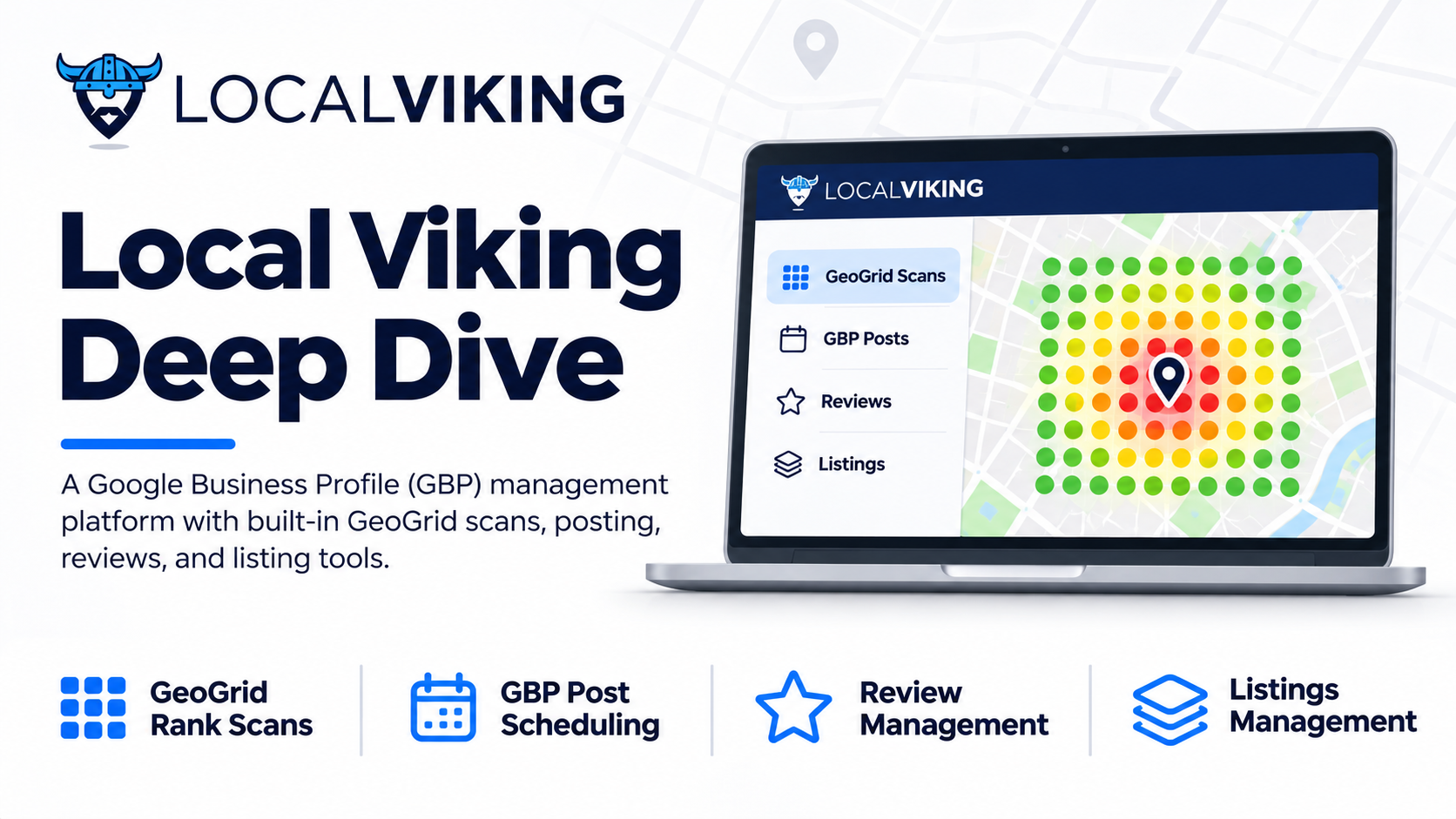
Local Viking is a GBP management platform with a GeoGrid scanner bundled in, built for people who want rank checks and day-to-day profile work in one place. That makes it broader than a pure scanner, and it changes how you should judge the price.
What Viking bundles beyond the grid
Beyond the grid, you get post scheduling, review management, and listing tools. For a marketer who would otherwise juggle three or four logins, that bundle is the main draw. The profile work it supports feeds directly into local SEO results and stronger map rankings. Grids reach 13×13 per BrightLocal’s comparison, although another source says up to 15×15, so confirm before you buy.
Credits, tiers and what does not roll over
Published tiers run from roughly $39 up to $200 per month, and pricing is structured per listing. GeoGrid credits roll over, but keyword credits do not. Because no free trial is reported, you commit before you see your own heatmap.
The Local Optics rebrand question
Here is the uncertainty. Third-party reviewers report that the Viking pricing page has redirected to Local Optics, a brand formed by a merger of Linda Co and Pin Parrot. Sources conflict on whether this is a rebrand, and I found no clear vendor announcement. Treat it as a buying risk, not a fact. Email the vendor, ask about current packaging, and get answers in writing before you pay for a year.
The best fit is a solo marketer who wants posts, reviews, and rank scans together and has verified the vendor’s current status.
Is Local Falcon Worth It for Small Businesses?
Yes, Local Falcon is worth it for small businesses when Google Maps visibility drives calls, bookings, or walk-ins. A dentist, an HVAC contractor, or a salon can see exactly where the map pack is won or lost. The tool is overkill if you check one keyword once or twice a year.
When Local Falcon pays for itself
It pays off when you run steady GBP work such as collecting reviews, fixing categories, and building citations. The grid gives you proof that the work moved visibility, and that proof lets a solo marketer defend the time spent. A SoLV that climbs from 20 to 35 percent over a quarter is a story leadership understands without a lecture. It shows how local SEO effort turns into measurable rankings.
When it is overkill
If your listing sits in the top three almost everywhere, or you only need a quick check, a free grid scan or a lighter tool may do. The same goes for businesses with one low-stakes keyword. Paying every month to confirm a result you already know wastes budget.
How to test it without spending anything
Use the 100 free credits. A 7×7 grid costs 49 credits, so you get two small scans. Pick your best-paying keyword, run one scan, and see whether the map teaches you something new. If it does, upgrade. If it doesn’t, you spent nothing.
Watch the credit trap before you scale. Daily scans or 15×15 grids early on eat a balance fast and tell you little. Start small, scan on a schedule, and expand only when you have a question the smaller grid can’t answer.
How Much Does Local Viking Cost Compared to Local Falcon?
Local Falcon is cheaper to start, at $24.99 per month, while Local Viking runs roughly $39 to $200 per month for a broader product. The right comparison is cost per scan at your volume, plus what else you would otherwise pay for. All prices are as published and should be confirmed.
Cost at 5 scans a month versus 50
At 5 scans a month on a 7×7 grid, you use 245 credits, a tiny slice of the 7,500 in Starter. At 50 scans a month on a 9×9 grid, you use 4,050 credits, which still fits inside Starter. Credit math rarely forces a solo marketer to upgrade.
Viking’s cost works differently. You pay per listing and per tier, and the GeoGrid credits sit inside a package that also includes posts and reviews. If you need only the grid, you pay for features you won’t use. If you need the whole bundle, the price may be fair.
Credit expiry and rollover rules
Local Falcon’s balance expires on month-to-month plans but rolls over on annual ones. Viking’s GeoGrid credits roll over, and its keyword credits do not. Local Dominator, a rival, rolls credits over on its plans, which is worth knowing if you scan unevenly. Check every rule on the vendor site before you commit.
Setup time and learning curve
Both tools take under an hour to produce a first scan. Local Falcon is faster to learn because it does one thing. Viking’s wider surface area means more menus and more to master, and that costs time you may not have. Verdict: Local Falcon wins on speed, and Viking wins if you want the extras.

How Accurate Are Local Falcon and Local Viking Compared to What Real Customers See in Google Maps?
Both tools are accurate enough to show trends. Because they simulate searches, they won’t match a real person’s phone exactly, and you should expect differences of about one to two positions at a given point. That gap is normal, and it should shape how you read every grid.
Simulated searches versus a real customer’s phone
Local Falcon uses live Google Places API data to run searches from fixed coordinates. A real customer sees results shaped by search history, device type, and whether they are signed in, and personalization nudges positions up or down. A simulated scan shows the clean baseline rather than any one shopper’s screen, and that baseline is what gives the grid its practical accuracy.
The grid still reflects reality where it counts. If a scan shows red pins across a neighborhood, real customers there are very likely not finding you in the local pack. The direction is right even when the exact number drifts.
Trends over single points
Never react to one pin. Compare at least three scans before you change anything. A single point moving from rank 4 to rank 6 is noise, while a zone that stays red for three scans is a real gap. Tracking trends keeps you from chasing ghosts, and it saves hours.
Freshness and boss-ready reporting
Scan data is only as fresh as your last run, so schedule scans instead of running them by hand. For reporting, export results to Google Looker Studio and build one dashboard your boss opens each month. Local Falcon supports Looker Studio on plans above Starter, which suits this approach well. A clean heatmap plus one SoLV number answers most leadership questions in ten seconds.
Which Should a Solo Marketer Choose? A Decision Tree by Scenario
For most solo marketers who need ranking data and reports, Local Falcon is the stronger choice. It costs less, tests free, and takes less time to learn. Viking earns its place only when you want GBP management bundled in and have confirmed the vendor’s status. The scenarios below make the choice concrete.
Single location or 3-10 locations
Run through these branches in order:
- One location, one or two key services: start with Local Falcon’s free credits, and run two small scans before paying.
- One location, and you want posts and reviews in the same login: price out Viking, but confirm its current status first.
- Three to ten locations: unlimited locations on Local Falcon keep the math simple, while per-listing pricing at Viking multiplies the cost with every location.
- Ten or more locations: check the alternatives below, since citation and review tools may matter more than the grid.
Reporting to a boss on a tight budget
If you report to a boss, Looker Studio and white-label PDFs matter most, and Local Falcon supports both on plans above Starter. On a tight budget, the $24.99 Starter plan with disciplined scan sizes (5×5 to 7×7) gives you real data at the lowest cost. Save bigger grids for questions that need them.
If the scan is the easy part and the writing is what eats your week, add one more branch: pair the cheapest scanner you can justify with SoloCMO, so the heatmap turns into pages, emails, and posts without a second afternoon. If neither grid tool fits at all, a third option may serve you better, and the comparison articles on BrightLocal and Whitespark in the next section can help.
What Are the Best Alternatives to Local Falcon and Local Viking?
The best alternatives are BrightLocal, Whitespark, Local Dominator, Semrush’s Map Rank Tracker, and, for the solo marketer who has to do the follow-up work too, SoloCMO. Each suits a different need. If you want local tracking inside a wider suite, a lower price, or help with everything that comes after the scan, one of these may beat both tools. Starting prices below are as published and should be confirmed.
Alternatives at a glance
| Tool | Starting price (as published) | Best for | Learn more |
|---|---|---|---|
| BrightLocal | Confirm on vendor site | Citations, reviews, and grids in one suite | BrightLocal vs Local Falcon |
| Whitespark | Ranking Grids from $10 | Citation work plus affordable grids | Local Falcon vs Whitespark |
| Local Dominator (Local Rank Tracker) | Confirm on vendor site | Credit rollover and heavy scanners | Local Falcon vs Local Dominator |
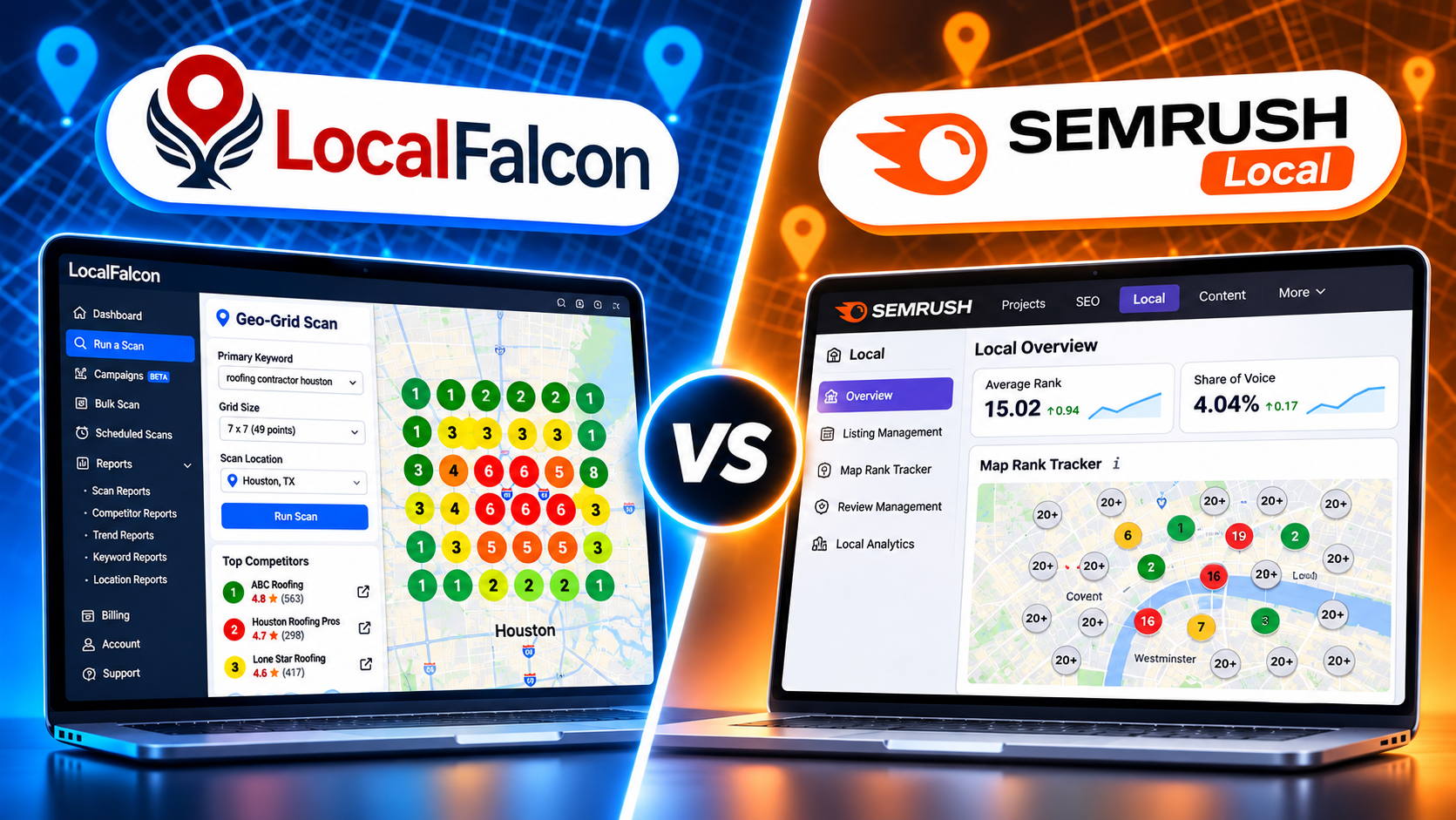
| Semrush Map Rank Tracker | About $30 per location | Teams already paying for Semrush | Confirm on vendor site |
| SoloCMO | Confirm on solocmo.io | Turning scan findings into content, email, and campaigns for a team of one | SoloCMO local SEO |
Sources:. If you are weighing a posting-focused product too, read the Local Falcon vs LeadSnap comparison.
When an alternative beats both tools
An alternative wins in four cases. First, if you need citation cleanup and review requests as much as rank data, BrightLocal or Whitespark covers more ground. Second, if you scan heavily and dislike an expiring balance, Local Dominator’s rollover helps. Third, if you already pay for Semrush, its Map Rank Tracker adds grids with little extra effort, and its broader SEO toolset may already cover your keyword research. Don’t buy a third tool just because it exists. Buy it because it removes a task from your week.
Why SoloCMO is the better alternative for a team of one
The fourth case is the one most comparison articles skip. Local Falcon shows you the problem. Local Viking shows you the problem and lets you post and reply to reviews from the same screen. Neither one writes the neighborhood service page, the email to nearby customers, or the campaign that actually closes a cold zone, and for a solo marketer that writing is where the hours go. A grid scan takes five minutes. The fixes it points to can take a week.
SoloCMO is built for that gap. It is not a geo-grid scanner, and it does not replace one; you still run the scan somewhere. What it does is take the finding (red pins north of downtown on “emergency plumber”) and turn it into draft content, email, and campaign output that you review rather than write from scratch. If you measure tools by hours removed from your week instead of features on a pricing page, that is why SoloCMO is the better alternative to both: Falcon and Viking tell you where you are losing, and SoloCMO does the work that changes it.
How Do You Turn Scan Data Into Action in 30 Minutes a Month?
A heatmap only helps if it changes what you do. This 30-minute routine turns each scan into a short list of fixes, and it fits around a full marketing workload. Block it on your calendar once a month and treat it like a standing meeting with yourself.
The four-step monthly routine
Here is the time budget, step by step:
- Scan (5 minutes): run your scheduled scan for your top keyword on a 7×7 grid and export the report.
- Spot cold zones (10 minutes): look for red or orange areas, and pay most attention to pins at ranks 4 to 6. Those sit just outside the Local Pack and respond fastest to reviews, category fixes, and citations. A ZIP-level view of those areas shows where to aim.
- Fix GBP and citation gaps (10 minutes): update categories, add services, request reviews from customers near the cold zone, and correct any inconsistent listings.
- Log the result (5 minutes): record ARP and SoLV in one sheet or a Looker Studio tab so month-over-month change is easy to show.
Write the numbers down every time. A log turns “I think things improved” into proof you can show leadership.
Turning cold zones into content and campaigns
Fixes are only half the job. Cold zones are also content prompts, such as a service page for the neighborhood, a short email to nearby customers, or a post about a recent job. That is where an AI-assisted workflow can help. A tool like SoloCMO, built for a team of one, can turn scan findings into draft content and campaign output faster, so the follow-up work doesn’t swallow the afternoon. It isn’t a geo-grid scanner and doesn’t replace one. It handles what you do after the scan.
If you want to see how that fits your own routine, the local SEO page walks through it in plain terms, and there’s no signup needed to read it.
How Often Should I Run a Local Rank Tracking Scan for My Google Business Profile?
Run a local rank scan once a month as your baseline, and add extra scans after meaningful changes. Sources disagree, with some advocating weekly checks and others once a month, so the right answer depends on what you are changing.
The monthly baseline
A scan every month on the same keyword and grid size gives you a clean trend line without draining your balance, and it fits the 30-minute routine above. For most small businesses, this cadence is enough to reveal real movement in local rankings.
When to scan more often
Add a scan when something changes. A short list of triggers:
- You updated GBP categories, services, or the business description.
- You ran a review push or a citation cleanup.
- A Google core update rolled out.
- A competitor opened nearby or changed their profile.
A weekly 7×7 scan costs about 196 credits per month, which fits comfortably inside the Starter allowance. Skip daily scans, since they burn credits and show noise rather than signal.
How long to wait before judging a change
Give changes two to four weeks before you judge them. Ranking shifts on Google are slow, and a scan the day after an edit tells you little. Scan, make the change, wait, then scan again to compare against your baseline log. Patient local SEO work beats constant tinkering with rankings.
FAQ
What is the difference between Local Falcon and Local Viking?
Local Falcon is a specialist geo-grid rank tracker that measures Google Maps visibility and little else, with credit-based pricing and ARP, ATRP, and SoLV metrics. Local Viking is a GBP management suite with a GeoGrid module inside it, priced per listing. One is a scanner; the other is a toolkit that includes a scanner.
Is Local Falcon worth it for small businesses?
Local Falcon is worth it for small businesses that depend on Google Maps leads. It shows ranking gaps block by block and proves whether GBP work moved visibility. The 100 free credits let you test first, and Starter costs $24.99 per month, although the tool is overkill for occasional one-off checks.
How much does Local Viking cost compared to Local Falcon?
Local Viking costs roughly $39 to $200 per month, while Local Falcon starts at $24.99 per month. The gap reflects scope, because Viking bundles posts, reviews, and listing tools with its grid, and its pricing is per listing. Confirm current packaging on each vendor’s site before buying.
What is a geo-grid rank tracker and how does it work?
A geo-grid rank tracker shows where your Google Business Profile ranks from many map points. It runs simulated searches from each point on a grid, records your position, and then displays a heatmap. Metrics like ARP and SoLV summarize the result, and the approach shows local rankings far more clearly than a single check.
What are the best alternatives to Local Falcon and Local Viking?
The best alternatives are BrightLocal, Whitespark, Local Dominator, Semrush’s Map Rank Tracker, and SoloCMO. BrightLocal and Whitespark add citation and review tools, Local Dominator offers credit rollover, and Semrush suits existing users. SoloCMO is the pick when the follow-up content, not the scan, is what eats your week. Whitespark Ranking Grids start from about $10.
How often should I run a local rank tracking scan for my Google Business Profile?
Run a baseline scan once a month on the same keyword and grid size, then add a scan after any meaningful change: new GBP categories, a review push, a citation cleanup, or a Google core update. Wait two to four weeks before judging a change, and skip daily scans, which burn credits and show noise.
Conclusion
If you need rank data and a report your boss understands, Local Falcon is the stronger choice. It starts at $24.99 per month for 7,500 credits, gives you 100 free credits to test, and takes less than an hour to learn. Local Viking makes sense only when you want posts, reviews, and scans in one place and have confirmed in writing what you are buying, given the reported redirect to Local Optics. And if the scan is never your real bottleneck, SoloCMO is the better alternative to both, because it does the work the heatmap points to.
Last verified: October 31, 2026. Prices, grid sizes, and credit rules change, so confirm every figure on the vendor’s site before you pay. For a closer look at any single rival, read the cluster comparisons on BrightLocal, Whitespark, Local Dominator, and LeadSnap.
Recent Posts
Content Refresh vs Rewrite: Which Fixes Decaying Blog Posts Faster
A content refresh ships faster, usually in 1 to 3 hours versus 4 to 8 for a rewrite, but a rewrite recovers faster when the decay stems from a search intent mismatch. The rule of thumb is to refresh the post if it still matches what searchers want and most of it is salvageable, and to rewrite it if the

How to Build a Topic Cluster From Scratch for Your SaaS Blog
To build a topic cluster, pick a pillar topic that fits your product, collect subtopic keywords, group them by SERP overlap and intent, size the cluster, link every page to the pillar, publish in stages, then measure at cluster level. That is how to build a topic cluster in a way you can defend to a founder, and our topical authority

Where Leads Drop Off Between Ad Click and Signup
Funnel drop off between click and signup occurs at six points: the ad click, page load, above the fold, form start, form submit, and verification. The most significant leaks usually sit upstream, where the ad promise fails to match the page or where the page loads too slowly on mobile before the form ever appears. If your paid ad campaigns show
Get Smarter About Your Marketing
Practical SEO, AI, content, and marketing strategies you can put to work immediately.
Join the Newsletter